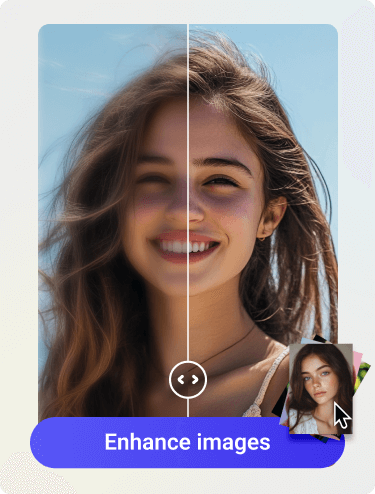
You’ve probably experienced at least once shooting a video with many beautiful moments, only to find the video quality very blurry when you watch it back. There are so many reasons for that unpleasant result and that is why so many people search for an increase video quality app. All they want is the most effective solution to sharpen their videos.
AI technology brings lots of good stuff including the best apps that you are looking for. You don’t even need to install complicated desktop software anymore thanks to AI video enhancement apps which are available right on your smartphone. In this guide, we will find out 5 best video enhancer app options for both iPhone and Android.
What Can a Video Enhancer App Actually Fix?
A video quality enhancer app can help improve several common issues. Some of them are blurry or soft-looking videos, low-resolution clips, pixelated footage, noise in low-light videos, compressed videos from social media or messaging apps, and so on.
A Video Enhancer app can fix those problems quickly by using advanced AI technology to sharpen details, reduce noise, upscale the video resolution or improve the details on faces. No matter which app you use, you should keep realistic expectations from it. The better quality the original video has, the better the enhanced result is.
5 Best Apps to Increase Video Quality
1. Artguru
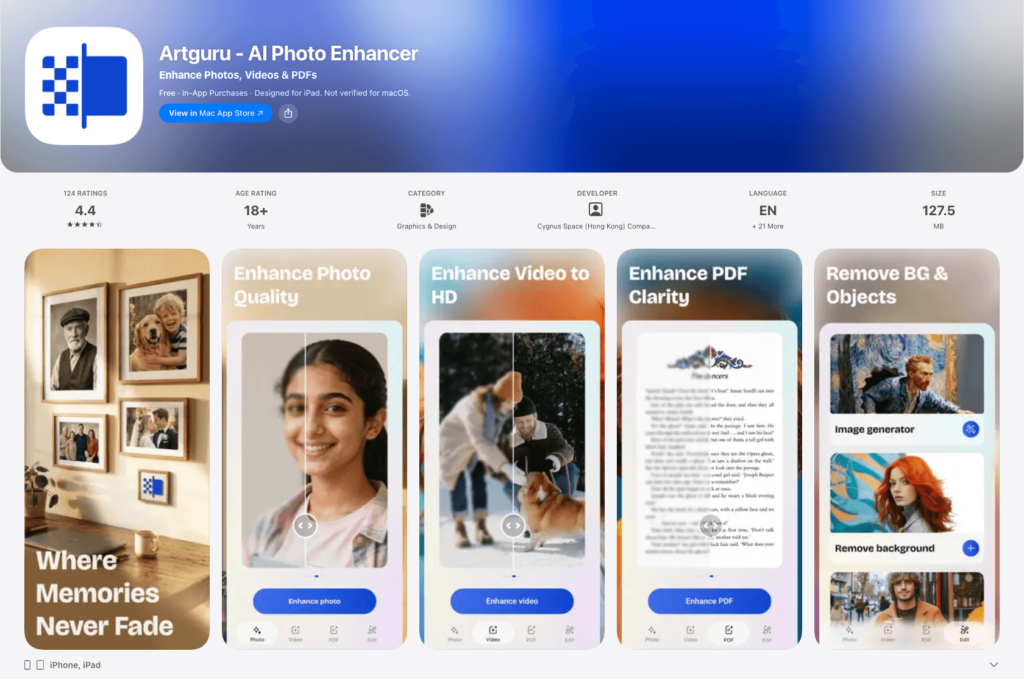
Among so many apps out there, Artguru stands out with its powerful features and device compatibility. If you want a video enhancement app coming with a very simple workflow, Artguru is a good choice. All you need to do is upload your video and Artguru will handle the rest for you. You can say goodbye to manual adjustments with dozens of sliders because Artguru automatically improves your video right after the uploading process completes.
If you are looking for an increase video quality app which is beginner-friendly, Artguru is perfect for that. It fits well when your video looks blurry, soft, or low-quality and you want a faster option than editing everything by hand.
Artguru also supports improvement for photos. It is a must-try all-in-one app for your photos and videos. It works well on both iOS and Android.
Best for:
- Casual phone videos
- Blurry clips
- Low-quality social videos
- Users who want a simple AI workflow
- Beginners who do not want complex editing tools
Pros:
- Easy to use
- Enhance videos up to 4K
- Good fit for quick AI enhancement
- Works well for users who want clearer videos with less effort
- Also useful if you edit both photos and videos
Cons:
- Not meant for advanced timeline editing
- Results depend on the original video quality
- Very damaged or extremely low-resolution clips may still show limitations
If you want to improve images as well, you can also try Artguru Image Enhancer for clearer photos and Artguru Image Upscaler when you need higher-resolution images such as 8K.
2. Wink
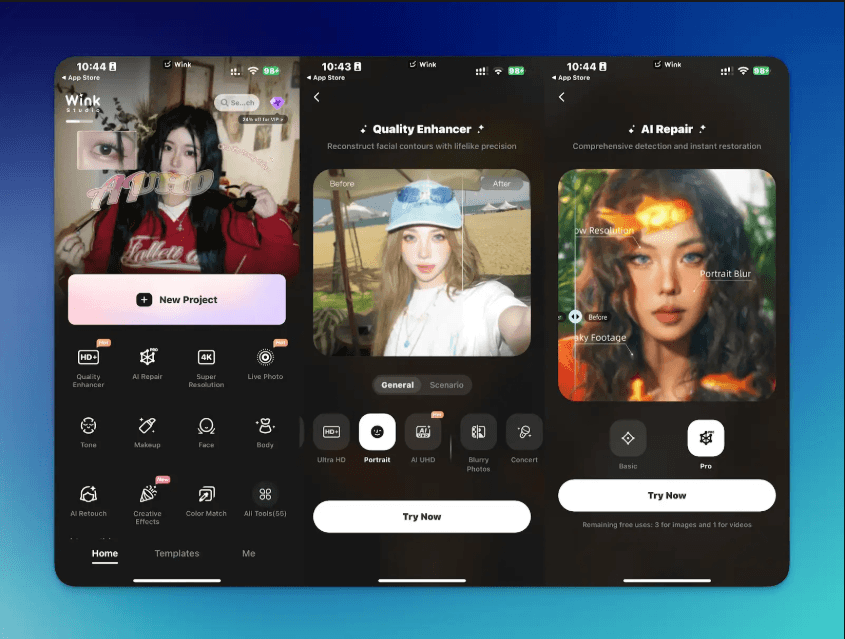
Wink is a popular AI video enhancer app for users who want fast, polished results on their phone. It is often used for selfies, portraits, short videos, old clips, and social media content.
The app focuses on making videos look clearer and more attractive. This makes it a choice for creators who want to improve a video before posting it to social networks. You can also edit, merge and delete parts of your video with Wink’s video editor.
Best for:
- Social media creators
- Portrait videos
- Beauty and lifestyle clips
- One-tap AI enhancement
- Old or blurry mobile videos
Pros:
- Simple mobile workflow
- Good for quick portrait enhancement
- Useful for short-form video content
- Beginner-friendly interface
Cons:
- Results can sometimes look overly polished
- Some advanced features may require payment
- Not ideal if you want detailed manual control
Choose Wink if you want a quick app to improve video quality for social posting.
3. YouCam Enhance
Like Artguru, YouCam Enhance can help you with both photos and videos. You can unblur, denoise, and upscale your media content with it. For videos, it works best when your clip has common quality problems: grain, softness, pixelation, or low resolution. The app can also turn your images to videos with different types of styles. YouCam Enhance comes with editing tools which lets you enhance deeply on details.
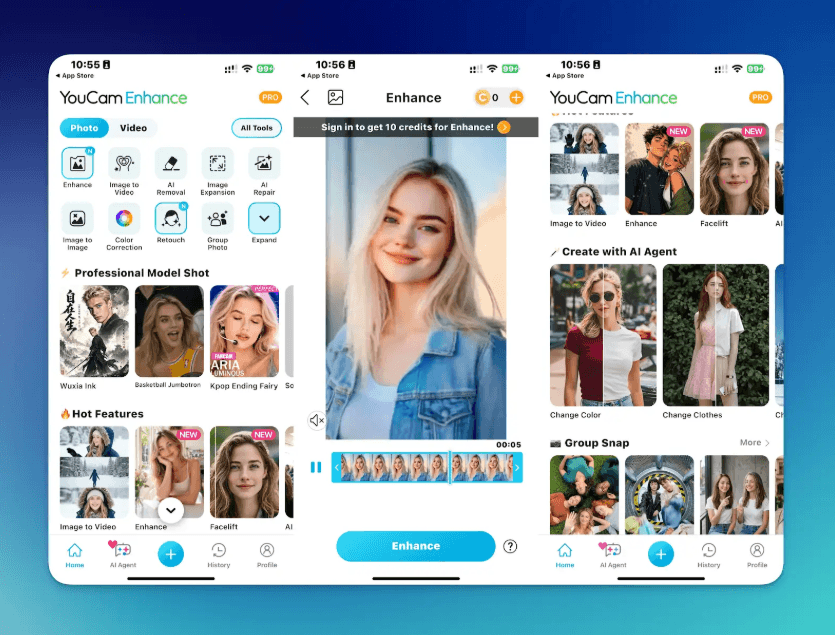
Best for:
- Grainy phone videos
- Blurry clips
- Low-resolution footage
- Users who want photo and video enhancement in one app
- Simple AI enhancement on mobile
Pros:
- Covers several common quality problems
- Good for quick AI fixes
- Easy for beginners
- Useful if you also enhance photos often
Cons:
- May not replace a full video editor
- AI results should be previewed carefully
- Some features may depend on the app version or plan
Choose YouCam Enhance if you want a straightforward enhance video quality app that also works for images.
4. Utool
Utool is a pretty new app in the media enhancement market. While it can work both as an editor and a quick fix tool, its main focus is simple quality improvements. Utool is useful to those who need a beginner-friendly workflow. It means you can start right away by choosing the right service that you would like and uploading your video for automatic processing.
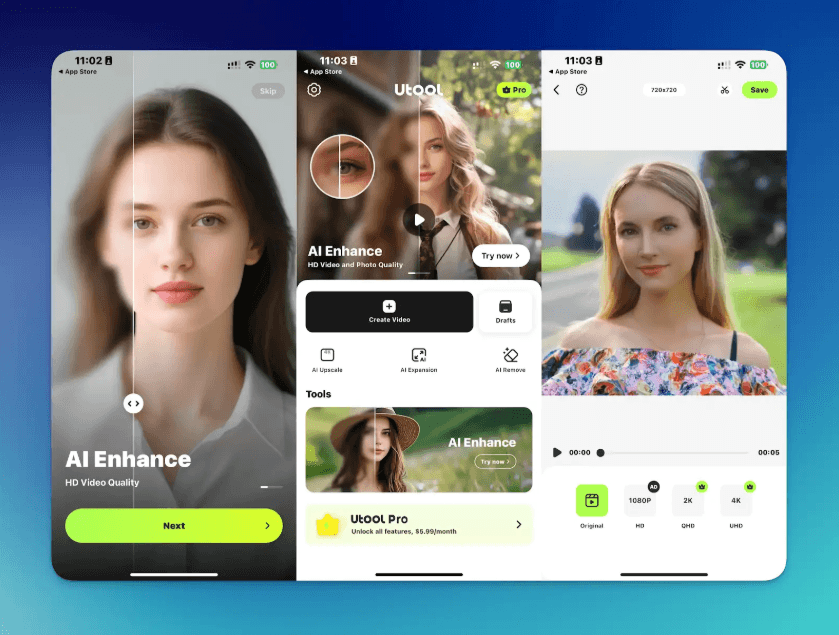
Best for:
- Old videos
- Family recordings
- Blurry clips
- Fast AI repair
- Users who want a simple mobile tool
Pros:
- Easy one-tap style workflow
- Works for both photos and videos
- Useful for casual restoration
- Good for users who dislike complex editors
Cons:
- Less flexible than full video editing apps
- AI results may vary between videos
- Preview before sharing is important
Utool is a practical choice if you want a simple video upscaler app or video repair app on your phone.
5. CapCut
CapCut is one of the most popular mobile video editing apps, especially for TikTok, Reels, and Shorts. While it is not only a video enhancer, it includes tools that can help improve how a video looks before posting.
You can adjust brightness, contrast, sharpness, color, resolution, format, and export settings. Some AI-powered tools may also help with upscaling, background editing, captions, and creative effects.
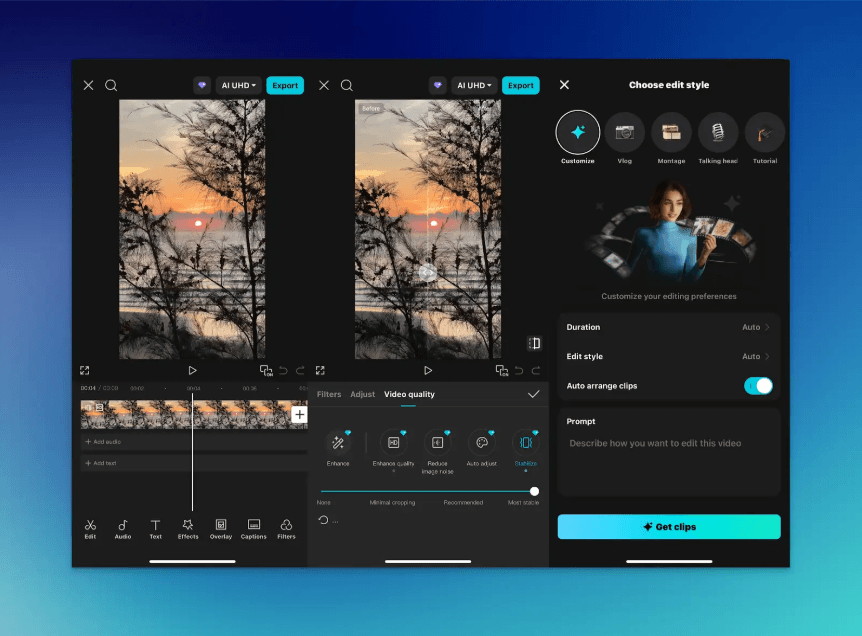
Best for:
- TikTok videos
- Instagram Reels
- YouTube Shorts
- Captions and templates
- Editing plus visual improvement
Pros:
- Excellent for social media workflows
- Many creative editing tools
- Good export and format options
- Easy for beginners but flexible enough for creators
Cons:
- Not a pure AI restoration app
- Enhancement features may not fix severe blur
- Lots of tools may be overwhelming at first
Choose CapCut if you want to improve video quality and edit the final video in the same app.
Quick Comparison Table
| App | Best For | Main Strength |
| Artguru | Users who want professional quality without technical skills | Industry-leading AI enhancement with one-tap simplicity |
| Wink | Social media creators | Portrait beautification and short-form video |
| YouCam Enhance | Users who prioritize image quality | Unblur, denoise, and upscale in one tool |
| Utool | Users restoring old or damaged videos | One-tap video restoration |
| CapCut | Users who need a full editing workflow | End-to-end editing with templates and AI tools |
Conclusion
The right increase video quality app depends on what is wrong with your video. If your clip is blurry or pixelated, choose an AI enhancer like Artguru. For most users, the best approach is simple: start with the original video, use one AI enhancer, preview the result carefully, then make final edits only if needed. That gives you a clearer video without over-editing or making the footage look unnatural.