



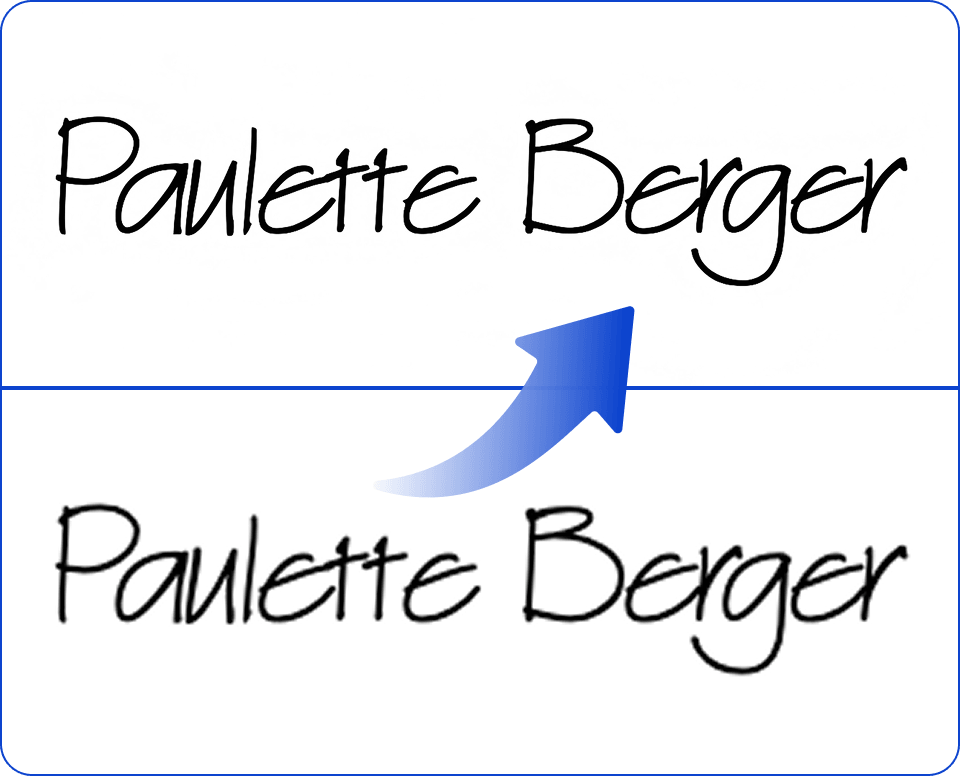
AI signature enhancer
Turn your blurry or pixelated scans into sharp, professional digital signatures. Artguru’s AI technology automatically removes paper texture noise and smooths jagged edges so you can sign contracts with absolute confidence.
How to enhance signature scans online?

Step 1. Upload your signature
Take a photo of your handwritten signature on blank paper and upload it into Artguru. Ensure the original handwriting is at its best quality for better results.

Step 2. Let AI process it
Artguru’s signature improver will automatically sharpen your faint handwriting so it finally stands out clearly and professionally on contracts.

Step 3. Preview and download
Compare the high-definition result with your original scan by our before-and-after comparison tool. Once you are satisfied, download the file to use in your documents.
Core capabilities of our signature enhancer
 Automatic line sharpening and thickening
Faint ink can make your signature look weak. Our signature improver is designed to solve one problem: enhancing contrast in your digital signature. It brings a bold and authoritative appearance to your name without breaking the natural flow of your handwriting.
 No oversIntelligent stroke & curve restoration
Low-resolution scans often break the continuous flow of your handwriting into disconnected pixels. Our AI identifies these gaps and reconstructs the natural pressure and fluid curves of your original signature. It doesn’t just sharpen; it digitally “re-inks” your name to ensure it looks like it was signed with a high-end pen on premium paper.
 HD/4K resolution signatures
A signature enhancer is most effective when the final result is crisp and authoritative. Our technology does more than just darken lines; it leverages advanced AI to reconstruct and refine the intricate details of your handwriting, boosting the output quality to true HD/4K resolution. This ensures that after you enhance signature clarity, your name remains sharp and professional.
 Secure and private processing
Your personal signature is sensitive identity data. We process all uploads securely within our cloud infrastructure and never store your files. We use the latest encryption technology to protect your data. We know how important your privacy is to you, and we are committed to protecting it.

Enhance your signature to HD in one click
Signing digital documents requires a legible and trustworthy mark. Unfortunately, when your physical signature is converted into a digital format, the process itself will turn it into a blurry, washed-out image. If you want to enjoy a tool which is free of complicated interface, our signature enhancer provides a one-click automated solution. Our image enhancer reconstructs lost pixel data and tightens the focus, acting as a reliable signature improver that transforms a hastily captured photo of a piece of paper into a polished, high-resolution digital asset ready for corporate use.

Showcase your professionalism with signature enhancer
A pixelated signature inserted at the bottom of a proposal can affect the credibility of your document. When you properly enhance your signature, your digital paperwork carries the same official weight as a physical hard copy. Unlike basic scaling tools that merely stretch an image, Artguru analyzes the unique trajectory of your handwriting. It reinforces weak spots and erases stray compression marks.
What our customers are saying?

Michelle Bolton
I used to take a picture of my signature with my phone, and it always looked gray and pixelated when I added it to my invoices. Artguru made the lines solid black and perfectly smooth. It looks like I signed the PDF digitally on a tablet.
Iris Nash
Closing deals means signing a massive amount of digital paperwork daily. This signature improver unblur my faint handwriting so it finally stands out clearly and professionally on contracts.
Osian Allison
I didn’t want to pay for a Photoshop subscription just to clean up a scan of my name. Artguru AI did it perfectly in a few seconds, removing all the unwanted paper shadows and yellow lighting in the background.
FAQs about signature enhancer
Is Artguru’s signature enhancer free to use?
Yes, Artguru provides free daily credits so you can process, clean up, and refine your digital signatures without needing an immediate paid subscription.
Yes. It applies advanced anti-aliasing techniques to smooth out jagged pixels, resulting in clean, fluid curves that replicate the look of a real pen. However, it’s important to note that the better the quality of the original image, the better the result will be.
Absolutely! Most users use our signature enhancer specifically for mobile photos. Our AI will analyze and fix any damaged pixels by intelligently learning from the neighboring pixels, ensuring your handwritten mark looks like it was created with a professional digital stylus.
Absolutely. The exact same AI technology that makes the signature enhancer so effective will also clean up scanned meeting notes, handwritten letters, line art, and basic pencil sketches.


