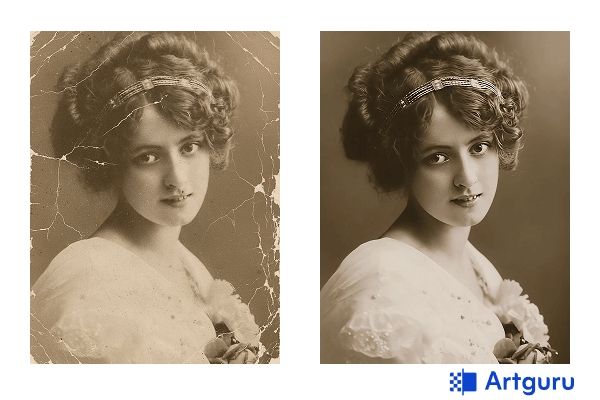
Old photographs serve as portals which allow people to experience events from history. The photos show important life events which include family reunions and holiday trips and daily life events that occurred more than 50 years ago. The natural process of time causes photos to deteriorate because their paper base turns yellow and their colors begin to fade and cracks develop and images face smudging or tearing. The proper techniques and tools enable us to restore ancient photographs which we can then safeguard for future generations.
So, if you’re sitting there wondering how to restore old photos — you’re in the right place. We’re covering 6 methods in 2026 that work for every skill level and budget, from advanced AI enhancer to good ol’ manual retouching.
Why Old Photos Age (And Why You Should Care)
Before we jump into the “how to restore old pictures,” let’s talk about the “why.” Photos age because of a bunch of things happening at once:
- Light slowly oxidizes the chemicals in prints, fading colors over years.
- Humidity or water can warp paper, cause mold, or make the image peel.
- Handling, even careful handling, leaves smudges, scratches, and bent corners.
- Chemistry happens — like dyes breaking down or papers yellowing — no one really notices it until decades later.
So even if you’ve kept them in albums or boxes, some damage is almost inevitable. But the trick is digitizing first. Scan them in high resolution — I usually go 300–600 dpi, sometimes higher if the photo is super tiny — and that gives you a base to restore digitally, without touching the fragile original.
Way 1. Restore Old Photos Naturally with AI (No Color Change)
Tool: Artguru Old Photo Restoration
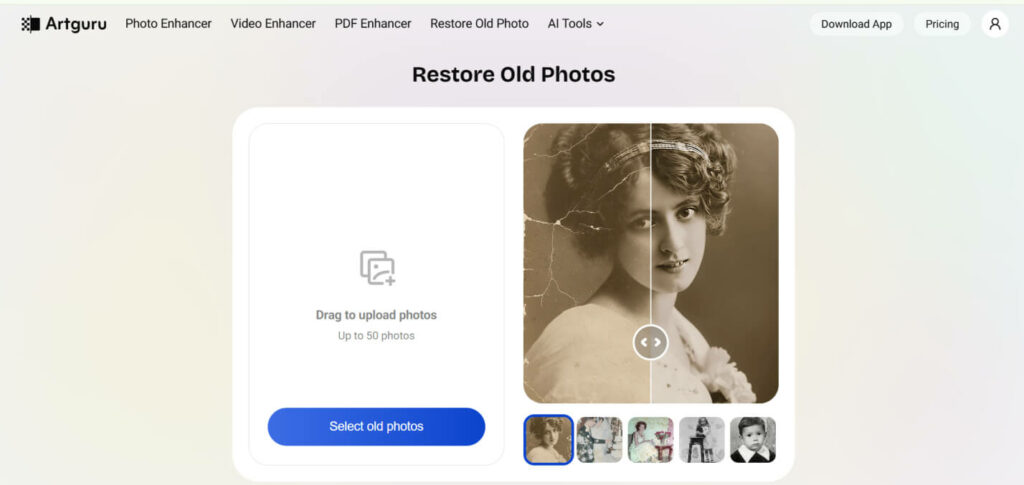
If you want your photos looking like they did when they were first taken, without adding “new” colors, AI can actually help. Yeah, AI isn’t just for sci-fi stuff anymore — it can gently clean up pictures and enhance photo quality.
What it does:
- Removes scratches, dust, stains, and creases
- Improves clarity, sharpens blurry areas
- Keeps the original colors and tones intact
How to revive old photos with Artguru (super simple):
- Scan your photo at a decent resolution.
- Upload to Artguru’s platform to restore old photos.
- Wait a few seconds while it detects scratches and fixes imperfections.
- Preview and download.
Honestly, this method is great if you’re the type who wants authentic restoration without fiddling with color sliders or Photoshop layers. And the results? Pretty impressive for how little effort it takes.
Way 2. Restore and Colorize Old Photos with AI
Tool: MyHeritage In Color
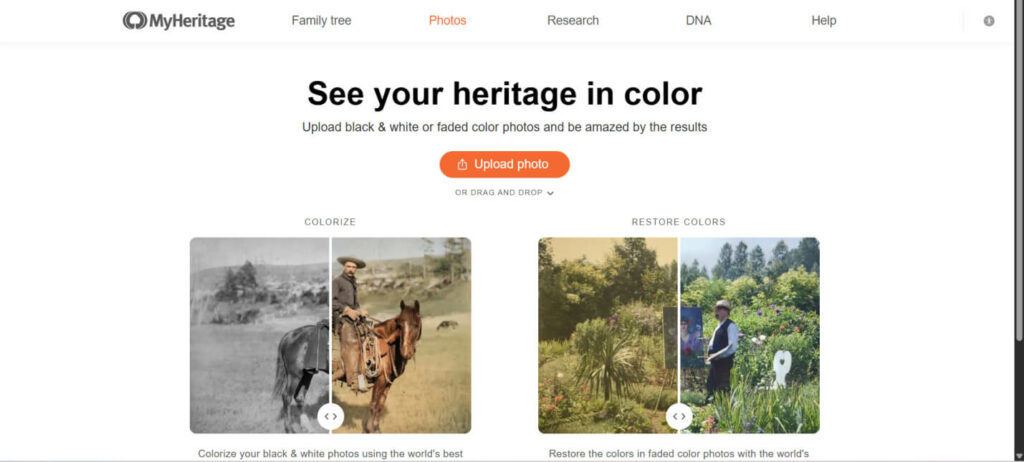
Sometimes, a black-and-white photo just doesn’t cut it anymore. You want to view your grandmother’s dress in pink and see your childhood home with its original colors. The solution to this problem requires colorization.
MyHeritage In Color uses its technology to transform grayscale photos into images that resemble modern-day photographs. The system predicts skin tones and clothing colors and background hues throughout the entire image. The work lacks precise historical documentation but delivers a powerful emotional impact that proves more important than anything else.
You need to upload your black-and-white image to the system, which will then create a colorized version of your photo. But note that the system may not always produce perfectly accurate colors, so you can also combine it with Photoshop to get what you finally want.
Way 3. Restore Old Photos Manually in Photoshop
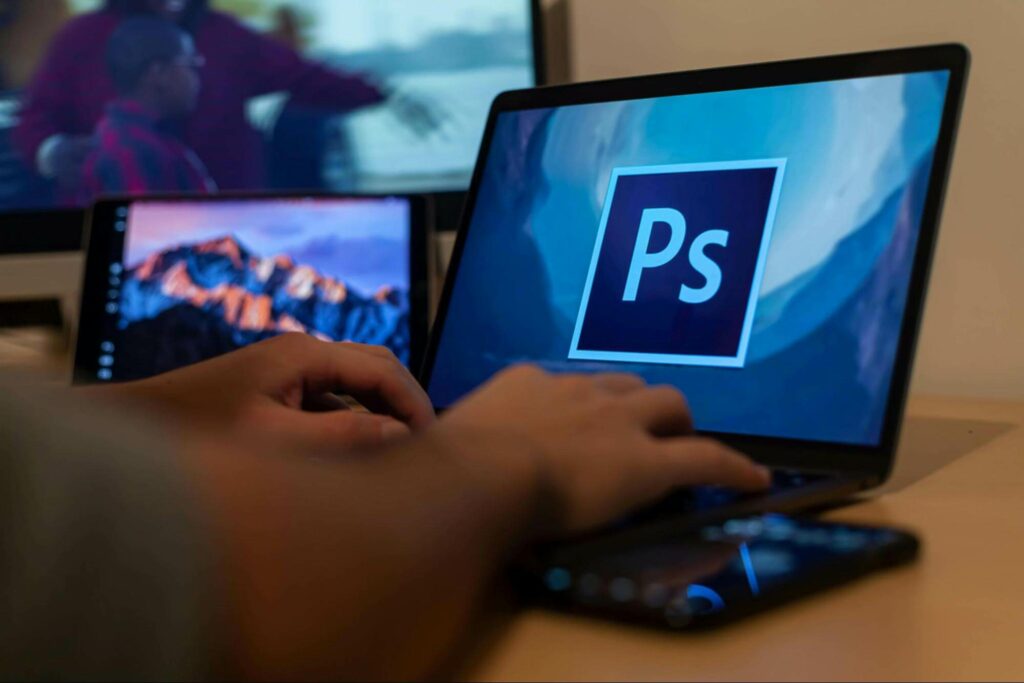
Photoshop functions as a playground for people who enjoy control or want to experiment. Manual restoration provides access to all details required for fixing tiny scratches and adjusting contrast and performing hand colorization.
Tools you’ll probably use:
- Healing Brush for small spots
- Clone Stamp to reconstruct missing sections
- Curves and Levels for faded tones
- Color balance layers if you want to tweak hues
The steps (roughly, because honestly you’ll spend hours experimenting):
- Duplicate your base layer — never work directly on the original scan.
- Clean dust, scratches, and tears using Healing Brush or Clone Stamp.
- Adjust contrast and brightness to make faded photos pop.
- Optional: colorize manually or with Photoshop Neural Filters if your version has it.
Pros: full control, can achieve professional-level results.
Cons: takes time, learning curve is steep, and it can be kinda frustrating if you’re not used to Photoshop.
Way 4. Restore Old Photos Using Mobile Apps

Sometimes you just don’t want to fire up Photoshop, right? Phones are surprisingly good these days at fixing old pictures.
Two options here:
- Built-in phone tools: your iPhone or Android can often correct color, crop, and remove minor blemishes. Not perfect, but quick.
- Dedicated apps: like Remini or the Artguru mobile app, which use AI to enhance resolution, sharpen, and repair photos.
Mobile apps are convenient, beginner-friendly, and surprisingly effective for casual restoration. The only catch is you usually don’t get fine control — which might be fine if you just want to fix a bunch of family photos quickly.
Way 5. Restore Old Photos with Desktop Software

Desktop software is kinda the middle ground — more control than mobile apps, but less intensive than Photoshop.
Popular options:
- Topaz Photo AI – great for detail reconstruction and noise reduction
- Luminar Neo – nice for contrast, tone, and minor fixes
- Free online AI tools – for quick touch-ups without installing anything
Desktop tools often let you batch process photos (handy if you have hundreds of family shots), enhance details, and fix colors faster than mobile apps.
Way 6. Professional Old Photo Restoration Services
Some photos are priceless — torn, faded, curled, or otherwise severely damaged. That’s when a professional retoucher is worth every penny.
They can:
- Repair tears and missing sections
- Restore faded tones and colors
- Work on scans or originals for museum-quality results
The service costs a lot of money but requires you to trust someone with your family’s historical photos. The service provides the safest option for handling important photographs which require special treatment.
How to Pick the Right Method to Restore Old Photos
Honestly, it depends on what you want and how much effort you’re willing to put in. Here’s a rough guide:
| Goal | Method |
|---|---|
| Keep original colors and just fix damage | AI restoration (Artguru) |
| Add realistic colors | AI colorization (MyHeritage In Color) |
| Total creative control | Photoshop manual restoration |
| Quick fixes on-the-go | Mobile apps (Remini, Artguru app) |
| Batch processing or advanced enhancement | Desktop software (Topaz, Luminar Neo) |
| Priceless or severely damaged photos | Professional restoration services |
Conclusion
The value of old photographs extends beyond their physical existence because they represent stored memories from past moments. Your choice between AI old photo restoration tool, Photoshop and professional assistance serves as a crucial step for safeguarding your personal heritage. The process of how to restore old photographs has become accessible to all individuals. Almost anyone can restore their photographs through AI and current technology because these tools enable them to resurrect their images and discover new perspectives on their family history. People should select their preferred method to start scanning and restore vitality to their worn-out photographs. Your future self will appreciate this decision along with your potential future grandchildren.