

Canva Image Upscaler & Enhancer
Got a blurry photo that’s dragging down your Canva design? Low-resolution uploads, old photos, and compressed images can make even the best layouts look unprofessional. Artguru’s Canva photo enhancer helps you fix that before you even open Canva. Enhance your images to 4K or 8K, sharpen details, remove noise, and get a clean, high-resolution file ready for any Canva project — websites’ logo, posters, social media posts, presentations, or print materials.
Why Canva’s built-in image enhancer falls short
Canva used to have a popular third-party app called Image Upscaler in its marketplace. Built by A1D.ai, it became one of the most-used third-party apps on Canva, reaching over 1 million monthly active users. Users liked it because it was simple and gave them more control over the upscaling process, including different upscale levels.
In 2026, Canva removed the original Image Upscaler app from its marketplace and introduced its own built-in Upscale tool powered by technology from the Leonardo AI acquisition. While the new tool is more integrated into Canva, some users feel it offers fewer controls compared with the previous version.
The current Canva Upscale experience focuses on automatic enhancement rather than letting users manually choose upscale levels. Some users have also reported softer results and less detail compared with the older third-party tool.
For users who need more control over image quality, enhancing photos with a dedicated AI image enhancer before uploading them to Canva can be a better workflow.
How to enhance and upscale photos for Canva?

Step 1. Upload your image
Grab whatever image you’re planning to use in Canva and upload it to Artguru’s photo enhancer or image upscaler.

Step 2. AI enhances your photo
Artguru enhances and upscales your images naturally and quickly. With Photo Enhancer, you can get up to 4K resolution. With Image Upscaler, you can choose between 4K and 8K output.

Step 3. Download and use in Canva
There’s a before-and-after preview so you can see the difference side by side. Download the file. Then hop into Canva, upload the enhanced version, and get on with your design.
Why choose Artguru’s Canva Image Enhancer
 Upscale to 4K or 8K
With our Canva image upscaler, you can upscale your images to 4K or 8K before bringing them into Canva. Whether you’re creating posters, presentations, social media posts, or any other design project, your images will stay sharp and keep up with your creative needs.
 Enhance images naturally
Our Canva photo enhancer removes noise, improves blur, and restores fine details and textures in your images. It doesn’t overprocess your photos or make faces look unnaturally plastic. There are no obvious halos around edges either. It simply makes your images cleaner and sharper while keeping the original look and feel.
 Process multiple images together
Artguru supports batch processing, so you can upload multiple images at once, enhance them all together, and download the entire set in one go. Then, you can upload everything to Canva at once. Compared with processing images one by one, it saves you a lot of time and effort.
 Security and privacy protection
Artguru takes your file security and privacy seriously. Your files are yours, and only you can access them.
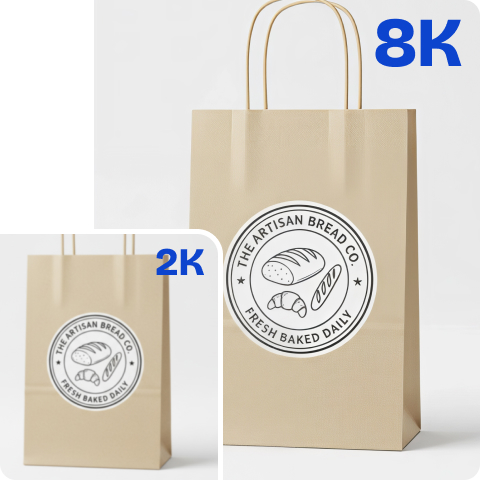
Instantly upscale images for Canva in one click
You don’t need any photo editing skills. There are no sliders to adjust and no complicated settings to figure out. Just upload your image, and Artguru’s Canva image upscaler takes care of the rest. It automatically detects what’s wrong, fixes blur, removes noise, restores details, and upscales your image to 4K or 8K. That’s it. The whole process only takes a few seconds. Plus, since your image is enhanced before you bring it into Canva, you’re starting your design with a sharp, high-quality image instead of trying to fix a blurry one after everything is already done.
Bulk enhance photos for Canva designs
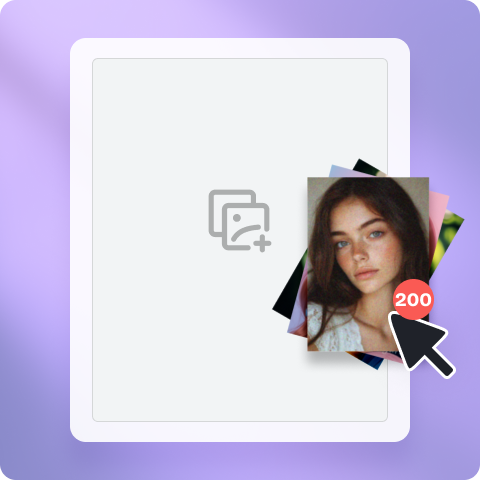
If you run an e-commerce store, manage social media for a brand, or create any kind of marketing campaign, you’re usually not working with just one image. More often, you have 20, 50, or sometimes even hundreds of images that need to be improved before they’re ready to use in Canva.
Artguru’s batch processing feature is designed exactly for this. You can upload up to 200 photos at once, enhance them all together, and download all the processed images in one go. After that, you can directly import them into Canva and start designing. Please note that batch enhancement is currently only available for subscribers. If it saves you time and helps you create more, it’s just a small investment that can make a big difference.
A Canva image upscaler for every type of image
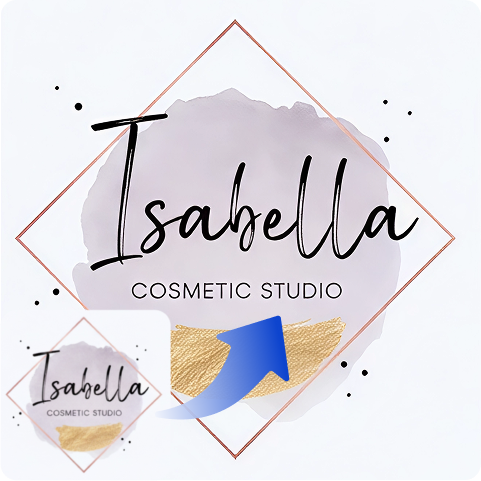
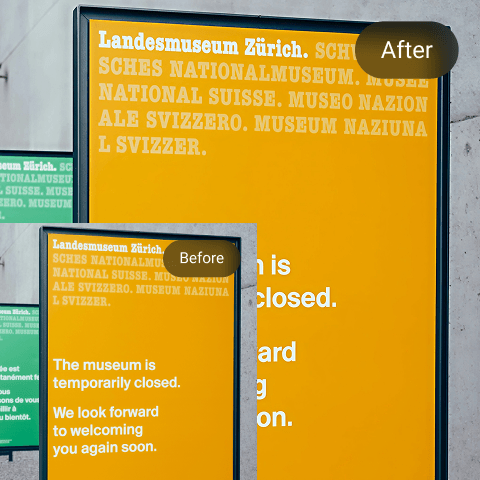
No matter what type of image you’re working with, our image enhancer and upscaler can handle it. Whether it’s a product photo from a supplier that’s too small to use, an old family photo scanned at low resolution, a screenshot with text, a tiny JPEG logo from a client, a transparent PNG, or even an AI-generated image, Artguru can enhance them all.
It intelligently adapts to the content of each image, so you don’t need to make any manual adjustments. Faces stay natural, text remains clear and readable, and colors stay accurate without unwanted changes.
What our users say around the world

James Anderson
Product photos from my suppliers always look awful. Tiny files, blurry, just not usable in Canva banners. I started putting them through Artguru first and honestly the difference is night and day. Everything comes out clean.
Jack Williams
Canva’s own upscale feature gave me soft, mushy results and only let me use it once per image. Since switching to Artguru for the enhancement step, the detail is way better. I just batch everything now before uploading to Canva.
Gabriel Oliveira
Canva removed my favorite image upscaler feature… I had to look for a new solution, and I found Artguru. Honestly, I feel like the upscaling results are even better than before.
FAQs
A Canva photo enhancer is a tool that improves your image quality before you use it in Canva. It can fix blur, remove noise, restore details, and increase image resolution, helping your photos look clearer and more professional in your designs. Canva has a built-in enhancer, while tools like Artguru are specialized image enhancers designed to work with design platforms like Canva.
Yes, Canva has a built-in Upscale feature. However, it does come with some limitations. You can’t choose the upscale level yourself (the system decides for you), each image only gets one processing attempt, and every use consumes your monthly AI allowance, which is shared with other AI features like Magic Write.
Many users in Reddit have also mentioned that Canva’s current results aren’t as sharp as the third-party image upscaler it removed previously. If image quality really matters to you, it’s better to enhance your images with a dedicated image enhancement tool before uploading them to Canva.
Canva has a built-in Upscale tool in Magic Studio. Simply select your image, click Edit, find Upscale under Tools, and click the button. The AI will automatically increase the image resolution.
If your goal is specifically to make images sharper and increase their resolution, then yes, Artguru is a better choice. It offers true upscaling options (4K and 8K), supports one-click batch processing, and delivers noticeably sharper results.
Canva’s tool is built directly into the editor, which makes it convenient to use. However, when it comes to image enhancement quality, there is a real difference between the two.