

CapCut Video Enhancer
Use Artguru’s CapCut Video Enhancer to improve video clarity, sharpen visible details, and upscale clips to HD/4K. Upload your video, preview the enhanced result, and download a cleaner version without working through a full editing timeline again.
How to Use Artguru as a CapCut video enhancer Alternative

Step 1. Upload Your Video
Upload the video you want to enhance to Artguru. We support a wide range of common video formats like MP4 or MOV. Since this is not a free feature, you’ll need to subscribe to a plan.

Step 2. Enhance the Video Quality
The process will automatically start after you upload your video. The enhancement duration depends on the length and quality of the upload.

Step 3. Preview and Download
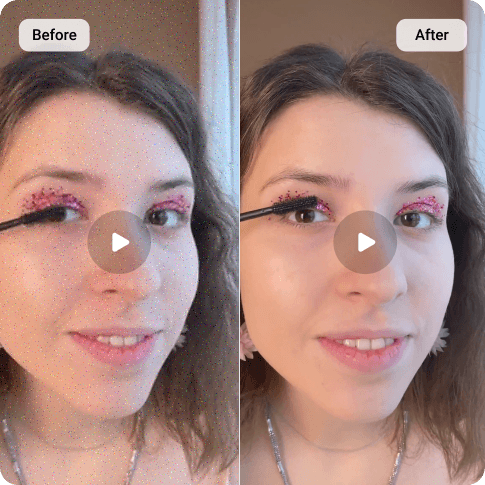
Check the before-and-after preview before saving the result. You can zoom in on faces or text to check for details. After satisfying with the results, you can download it to your device with only one click
Why Choose Artguru CapCut Video Enhancer
 HD and 4K Upscaling
Improve low-resolution videos and export a clearer HD/4K version. Artguru helps make your footage more suitable for social posts, presentations, product pages, and client previews.
 Sharper Visible Details
Blurry faces, fuzzy product edges, and unclear screen text can make a video feel unfinished. Artguru enhances visible detail and sharpness while keeping the process simple.
 Preview Before Export
You can easily compare your original video with the enhanced one on Artguru before downloading. This helps you decide whether the result is good enough for posting or sharing later.
 Secure and Private Processing
Your uploaded videos are processed securely. This matters when you are enhancing personal memories, client videos, business clips, or private project files. Your privacy is always our priority, so we always try our best to ensure your videos are always yours.
A Simple CapCut Video Enhancer for Blurry Clips
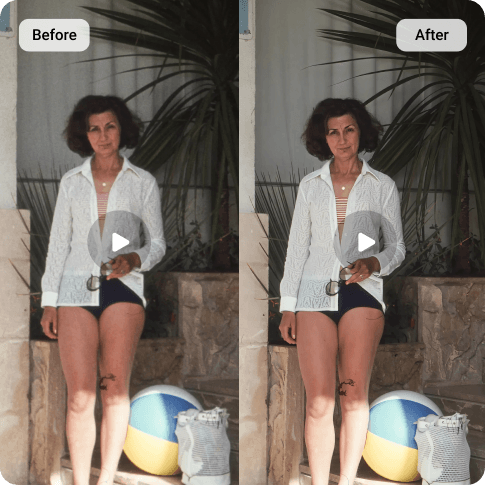
Although CapCut is an useful and powerful tool for editing, its exported video still looks soft at times. Artguru gives you a more direct way to improve video quality. You do not need to rebuild the whole edit. All you need to do is upload the clip, enhance it online, preview the result, and download a cleaner version. For creators who need a CapCut Video Enhancer, Artguru works well when the main goal is simple: make the video look sharper and easier to watch.
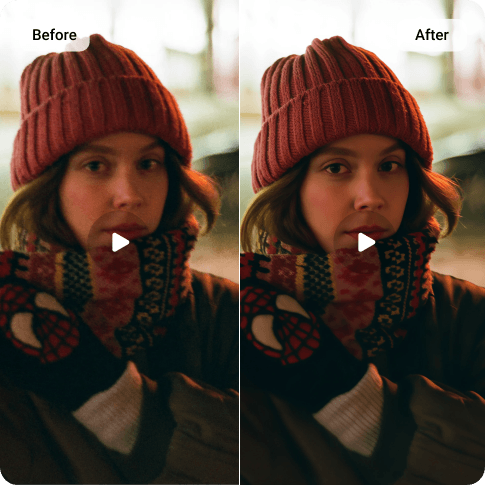
Enhance Videos for Shorts, Tutorials, Ads, and Old Phone Clips
Artguru helps with all of everyday cases from product launching videos to daily vlogs. Our CapCut Video Enhancer will sharpen and denoise your video at the highest quality before you share it to social platforms. Some visual improvements you can get by Artguru are clearer details, better resolution and and a cleaner viewing experience. For still images from the same project, such as profile photos, product photos, or thumbnails, Artguru’s Photo Enhancer is highly recommended.
What Users Say About Artguru’s CapCut Video Enhancer

Maya Thompson
I had a product demo that looked fine while editing, but the exported video looked soft. Artguru made the text and product edges clearer, and I liked being able to preview the result before downloading.
Kenji Mori
I still use CapCut for editing, but I wanted something simpler for video quality. Artguru was easy: upload, enhance, compare, download. No complicated timeline or extra settings.
Lucía Fernández
I tried it on an old family video from my phone. It turned my vintage clip into another level. It looked cleaner and more watchable. That was enough for what I needed to cherish moments with my loved ones.
FAQs About Artguru CapCut Video Enhancer
It is a tool you can use when you want to improve video quality outside CapCut. Artguru focuses on video enhancement, so you can upload a clip, improve clarity and resolution, preview the result, and download an HD/4K version.
Yes. Our CapCut Video Enhancer can improve your videos to HD/4K resolution. However, the higher quality of the original video is, the better the result will be.
While CapCut is used for editing, Artguru is better when you want a focused video enhancement workflow. All you need to do is upload your video into Artguru and let us handle the rest of the improvement.
Artguru should play as a role of the quality enhancement in the final step before you share your videos. So, the simple workflow for you is editting on CapCut then enhancing on Artguru for better resolution.
Artguru supports common video formats such as MP4 and MOV. In case your file format is not on the list, please convert it into the supported ones before uploading to Artguru for enhancements.
Yes. You can use our Image Enhancer for thumbnails, cover images, or any other photos related to your project.