

HD Photo Maker
Turn your blurry and compressed picture into a HD/4K version with Artguru’s HD Photo Maker. Upload your image, preview and download right in your browser without installing any software.
How to Use Artguru HD Photo Maker

Step 1. Upload Your Photo
Upload the picture which needs enhancements from your device to Artguru. No sign-in or sign-up required. But if you want more HD images without watermark, it’s worth getting a plan.

Step 2. Automatic AI Improvements
Let Artguru improve the photo’s clarity, sharpness, resolution, edges, and visible details. The process is totally automatic without you even notice.

Step 3. Preview and Download
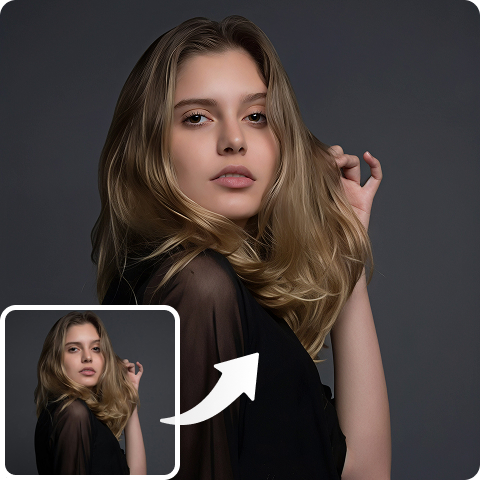
Use our comparison tool before downloading to your device for later use. You can compare the original photo of yours with our enhanced version in details by clicking zoom in and moving around.
Why Choose Artguru HD Photo Maker
 One-Click HD Enhancement
Upload your photo and let Artguru handle the quality improvement automatically. It is simple enough for daily photos, work images, and quick social media updates.
 Clearer Faces and Details
Improve soft portraits, fuzzy product edges, blurry text, and low-resolution image details while keeping the photo’s original look.
 Batch Uploading Workflow
Our HD Photo Maker supports batch uploading up to 200 photos at once. There is no need for single processing anymore, which saves you hours and effort.
 Secure and Private Uploads
Your uploaded files are handled securely and are accessible only by you. This is useful when enhancing personal portraits, client files, product photos, or private project images.
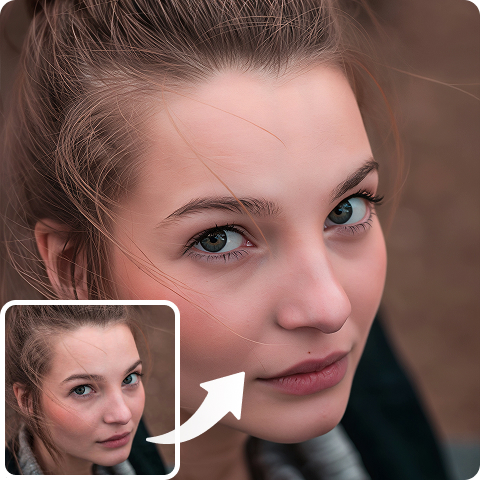
Make Low-Resolution Photos Clearer with HD Image Maker
A photo can look fine on your phone but fall apart when you upload it to a website, print it, or use it in a presentation. Small portraits become soft. Product images lose edge detail. Screenshots look hard to read. Artguru’s HD Photo Maker helps improve these everyday images by enhancing resolution, sharpness, and visible details. In case your logo also need upscaling, Artguru can also help you with our AI Logo Enhancer.
Enhance Your Photos Anytime, Anywhere
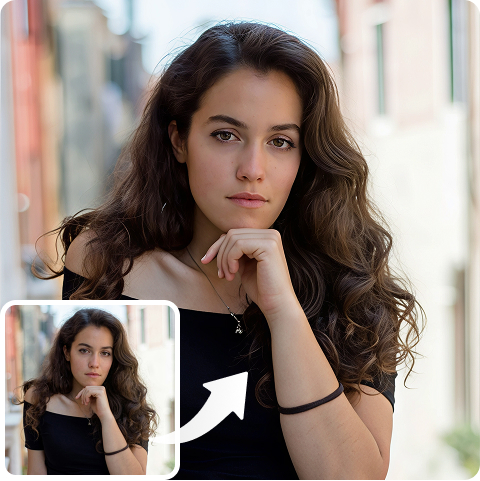
Artguru’s HD Photo Maker works right on your browser. So, you don’t need to download and install complicated software anymore. All you need is a browser and an Internet connection to upload your photo to Artguru. We also have mobile app on both iOS and Android. If you are an always-on-the-go person, Artguru mobile app will save you lots of time for photo enhancements. You can upscale your pictures any time you want with just a touch away!
Preview Natural-Looking Results with HD Photo Maker
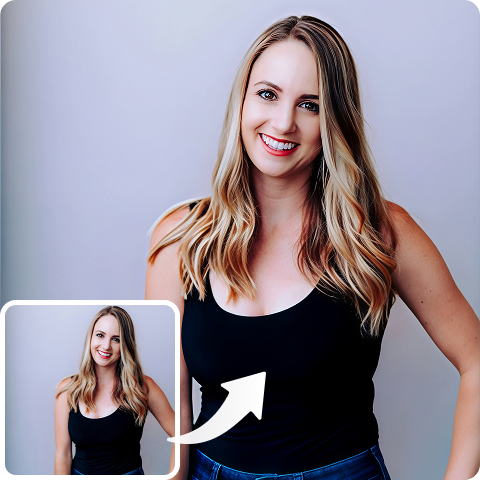
Artguru’s HD Photo Maker lets you preview the improved image before downloading, so you can check whether faces, text, edges, and textures still look natural. So, whether you’re working on your personal project or product photos for your clients, it is an useful tool and always there to help you. Please keep in mind that the better the original image, the cleaner the final result usually looks, but even many soft or compressed photos can become more usable for sharing, display, or print drafts.
What Customers Say About Artguru HD Photo Maker

Emily Carter
I used it on product photos for a small shop. Some images were taken years ago and looked soft on the website. Artguru made the edges and details clearer without making the photos look strange.
Hiro Tanaka
I had a few low-resolution anime images that looked blurry as wallpapers. The preview helped me check the result before downloading, and the final images were much cleaner.
Sofia Martins
I am a photographer and I have tons of work every day from the early morning till night. Most of my work is related to photos, so I need a tool to enhance photo on the go. Artguru HD Photo Maker is my life-saving tool because I can use it any time and anywhere I go.
FAQs About Artguru HD Image Maker
An HD Photo Maker is an online tool that helps turn low-resolution, blurry, or compressed images into clearer HD photos. Artguru improves image clarity, sharpness, resolution, edges, and visible details.
Yes. Artguru can enhance images to HD/4K online right in your browser and smartphone. Upload your image, preview the enhanced result, and download the cleaner version when it looks right. Our image upscaler even supports upscaling images to 8K, and we plan to support 16K upscaling in the future.
Artguru supports common image formats such as JPG, PNG, and WebP.
Artguru is made to improve image quality while keeping the original look. All the unique characteristics of your photo is kept intact.
Yes. Artguru supports batch image enhancement (up to 200 pictures), which is helpful for product photos, design assets, thumbnails, screenshots, and other image sets.
It can help if the old photo mainly looks blurry or low-resolution. If you want to restore your vintage photos, our comprehensive and powerful Old Photos Restorer won’t let you down.