




JPEG artifact removal
Heavy compression often results in blocky and pixelated artifacts in your images. Artguru’s intelligent JPEG artifact remover automatically targets and eliminates noise, so you can remove JPEG artifacts in just a few clicks right from your browser.
How to use our JPEG artifact remover?

Step 1. Upload your image
Drag and drop your JPEG file into the workspace. Artguru also supports batch uploads, up to 50 images at once.

Step 2. Let AI process it
Artguru’s smart algorithms instantly start the JPEG artifact removal process. Our AI analyzes your image to find the damaged pixels and reconstruct it by learning from the surrounding pixels.

Step 3. Preview and download
Our before-and-after comparison tool lets you preview the results before downloading a clearer, sharper, and artifact-free image to your device.
Core capabilities of our JPEG artifact removal tool
 Smart noise reduction
Unlike other tools that use standard filters to blur flaws in your image, our AI technology identifies compression noise with high precision and removes it. The unique strength that Artguru has is it still preserves the fine details of your original photograph after the process.
 Edge smoothing and sharpening
Text and subjects in images are often affected by heavy compression, creating jagged, blocky lines around them. Artguru naturally reconstructs those boundaries, giving your pictures a sharp, professional, and natural look.
 High-efficiency batch processing
Why waste time fixing photos one by one? Batch enhancement is fully supported on Artguru. It allows you to remove JPEG artifacts from up to 50 images in a single session. Therefore, it will save you a lot of time and effort, letting you focus on the ones that really matter without changing your workflow.
 Secure and private processing
Your privacy is fully protected. All files uploaded for JPEG artifact removal are processed over a secure connection and never leave your device, ensuring your data remains yours alone.
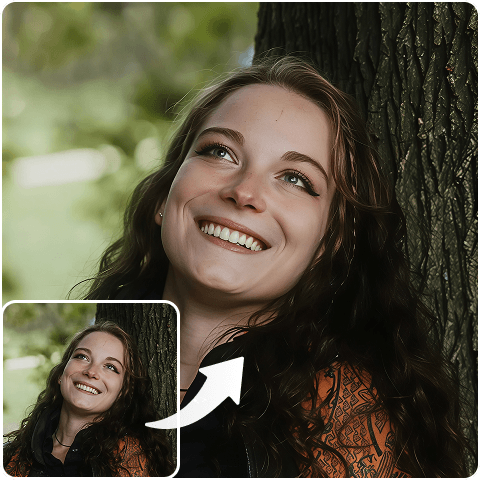
Remove JPEG artifacts with one click
Photos on the internet are often heavily compressed. It creates artifacts which make your pictures less professional. Luckily, you don’t need to be a Photoshop expert to fix it. With Artguru’s JPEG artifact removaltechnology, you can easily remove JPEG artifacts in a single click. Our dedicated JPEG artifact removeranalyzes the damaged areas and fixes them in seconds by analyzing data from your image.

Get high-quality artifact-free JPG/JPEG
We focus on turning your image into its best quality without taking much of your time. By utilizing our JPEG artifact removal tool, we guarantee your pictures are ready for professional use. Whether you need a crisp HD/4K output, our JPEG artifact remover scales and refines your media perfectly during the cleanup process.
What our users are saying?

Edwin Chavez
I had some old company logos that were saved too many times and looked terrible. This JPEG artifact removaltool smoothed them out perfectly in seconds without me doing any manual work!
Nevaeh Thomson
I run a popular Facebook page and often download highly compressed pictures. Being able to remove JPEG artifacts so easily has made my daily feed look so much cleaner and more professional.
Kyra Phillips
Honestly Artguru is the best JPEG artifact remover I’ve tried. It doesn’t just blur the ugly pixel blocks away; it actually makes the whole photo look significantly sharper and more HD.
FAQs about JPEG artifact removal tool
What is a JPG/JPEG artifacts remover?
Artguru’s JPEG artifact remover is an advanced, AI-powered tool. It is designed to fix artifacts that appear when an image is heavily compressed.
It doesn’t take long to get your image artifact-free on Artguru. In just a few seconds, our algorithms apply comprehensive JPEG artifact removal to deliver a clean, crisp picture.
Yes, Artguru provides free daily credits, allowing you to test the tool and enhance your images without an immediate subscription. You don’t even need to sign up to try it out. However, if you want to get your pictures more professional without watermarks, you can upgrade to any plan at any time.
Not at all. When you remove JPEG artifacts, Artguru often enhances the overall sharpness and maintains or even upscales your original resolution to HD/4K.
Although it is specifically used for JPEG artifact removal, our AI photo enhancer is also effective at reducing noise and compression artifacts in PNGs and other web formats.
Absolutely. We prioritize your privacy. Images uploaded to the JPEG artifact remover are processed securely and never leave your device.


