



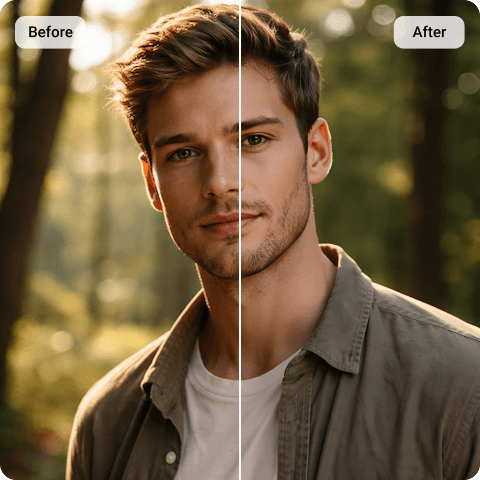
ChatGPT Photo Enhancer
You may have already used ChatGPT’s built-in image enhancer. It can increase sharpness slightly and adjust details, but the final result may still feel incomplete. Textures sometimes look overly smooth, edges may appear slightly artificial, and the actual resolution does not significantly increase. That’s because ChatGPT’s enhancer works within the limits of the original generated file. If the base resolution is restricted, enhancement can only go so far.
Artguru’s proprietary ChatGPT image enhancer focuses on improving real detail and structural clarity without changing the original look of your image. Instead of regenerating textures, it strengthens edges and refines pixel definition more naturally. If you want clearer results without reworking prompts, you can explore the full image enhancer tool directly.
Why do your ChatGPT-enhanced photos look “fake”?
ChatGPT offers internal image enhancement options. However, these enhancements operate within the limitations of the generated file.
When resolution is low to begin with, increasing sharpness inside ChatGPT does not truly increase pixel count. Instead, the system may emphasize existing details, which can sometimes make textures appear slightly synthetic.
This is not a flaw — it is simply a limitation of working within the same generation framework. A dedicated image enhancer works differently. It processes the exported file independently, allowing for clearer edge definition and improved structural sharpness beyond what the internal enhancer can achieve.
How to Use Our ChatGPT Photo Enhancer?

Step 1. Upload Your ChatGPT Photo
Download the image generated inside ChatGPT and upload it to our ChatGpt photo enhancer. No prompt rewriting is required.

Step 2. Automatic Image Enhancement
The system analyzes blur, pixel softness, and weak edge definition. This image enhancement process remove blurriness while maintaining natural lighting and proportions.

Step 3. Download the Enhanced Photo
Once processing is complete, you can download the improved version in higher resolution.
Why Choose Our ChatGPT Image Enhancer?
 Natural Detail Restoration
Our ChatGPT photo enhancer improves texture clarity and sharpness without introducing artificial smoothing or exaggerated contrast.
 Intelligent Blur Reduction
Mild softness and pixelation are corrected while preserving image structure.
 One-Click Simplicity
No prompts needed. No complicated settings or parameter adjustments. Simply upload your image and watch it get enhanced in one click.
 Secure & Private Processing
Images are processed securely. Uploaded files are not publicly shared, ensuring user privacy.
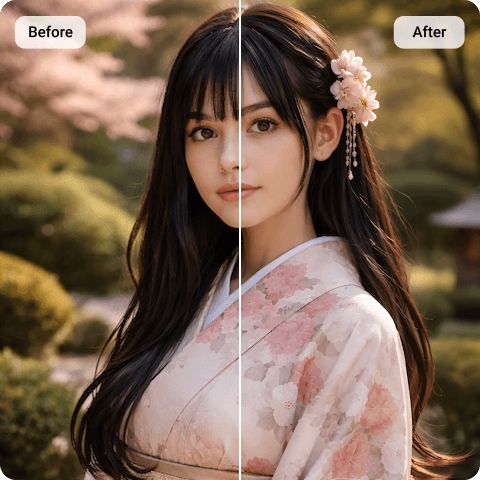
One-Click ChatGPT Image Enhancer Without Prompts
If you’re looking for a better image with less work in modifying your prompts, you’re not alone. Our ChatGPT image enhancer removes the tedious trial and error process. Upload your image once, and you’re treated to continuous enhancements. Instead of modifying the image repeatedly, the enhancement is directly applied to your original image.
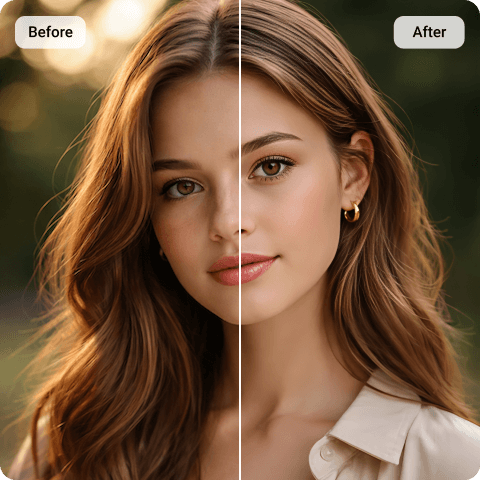
Upscale Beyond the Limits of a Basic ChatGPT Photo Enhancer
Resolution is often the primary concern. AI-generated images are usually suitable for screens but may fall short when printed or displayed at large sizes. Our ChatGPT Photo Upscaler supports resolution expansion to 4K and even 8K, depending on source quality. This makes images more suitable for detailed product pages, marketing banners, professional presentations, or printed artwork. Rather than stretching pixels, the upscaling process rebuilds clarity in a structured way. You can access this feature directly through the image upscaler tool.
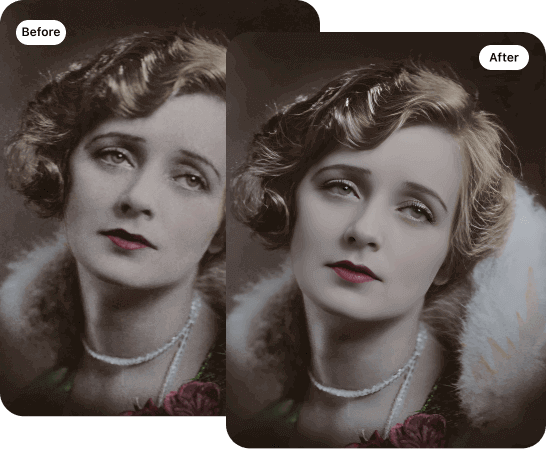
Restore Old Photos More Naturally Than a Typical ChatGPT
Old photographs require more than sharpening. They may contain scratches, fading, or small areas of damage. Using ChatGPT’s built-in photo enhancer for a quick fix can result in a version that looks completely different from the original. However, Artguru’s old photo restoration tool focuses on repairing these imperfections while preserving the original facial features and tonal balance. The goal is not to modernize the image but to restore it respectfully.
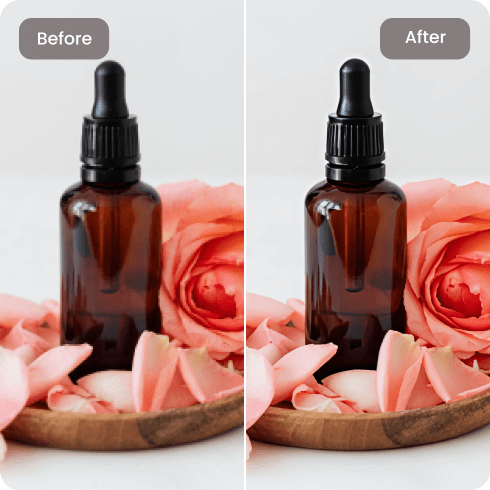
Upscale Product Images or AI Art with ChatGPT Photo Enhancer
Many users search for a ChatGPT photo enhancer because they need higher clarity for real-world use. A sharper version may be required for an e-commerce product listing, a marketing banner, or a print-ready artwork file where detail matters. Instead of regenerating visuals repeatedly inside a ChatGPT image enhancer, refining the exported file through an image enhancement tool is often more efficient and more consistent. This approach unblurs image while keeping the original composition intact.
What Our Happy Customers Say

Maria L.
I create AI-generated illustrations for print. The images looked good on screen, but once I prepared them for posters, the softness became obvious. After using the enhancer, the lines were cleaner and the details held up much better in large format. It didn’t change the style of my artwork — it just made it sharper.
Daniel K.
I initially tried enhancing inside ChatGPT, but the improvement was minimal. When I exported the file and used Artguru’s enhancer, I noticed the edges were more defined without that over-processed look. It felt like a refinement rather than a redesign.
Aisha M.
I restored an old family photo that had light scratches and fading. The restoration improved clarity while keeping the original expressions intact. It didn’t look digitally altered, which was important to me.
FAQs About ChatGPT Photo Enhancer
What is ChatGPT photo enhancer?
The ChatGPT photo enhancer is a tool that uses ChatGPT or related AI image enhancement tech to enhance your photo quality. It’s meant to make your images sharper and more clear, especially when you want to enlarge low-res pics or fix blurry photos. But in reality, the built-in ChatGPT photo enhancer can make pictures look a bit unnatural, so a lot of people end up looking for other ChatGPT image enhancers instead.
Yes, ChatGPT can enhance photos, but its biggest limitation is that it may alter the original style, making the results look unnatural. Enhancements are also restricted by the original image resolution, so for higher-quality outputs or larger sizes, most people turn to external photo enhancer like Artguru.
It can improve minor softness, but if the original image lacks sufficient detail, the results may be limited. A ChatGPT AI image enhancer can provide more noticeable resolution improvement.
ChatGPT can modify images, but detailed repair of scratches, fading, and aging artifacts typically requires a specialized old photo restoration tool.
Always review a platform’s privacy policy. Artguru’s ChatGPT photo enhancer processes images securely and does not publicly distribute uploaded files.


