Nano Banana Upscaler
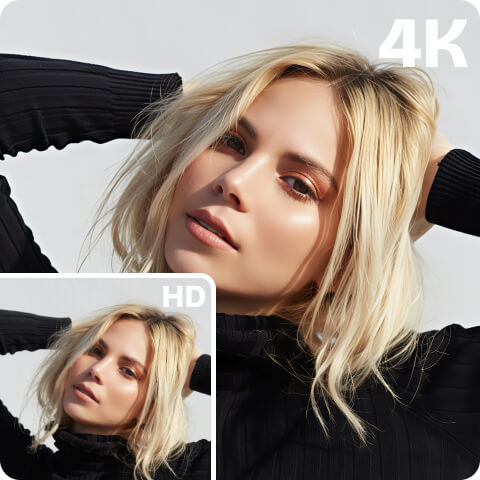
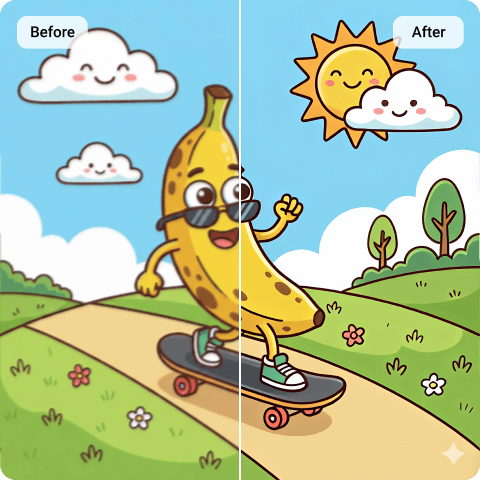
Easily enhance your Nano Banana images to HD or 4K with our dedicated Nano Banana image enhancer. You can even upscale your creations to 8K in just one click using our 8K photo enhancer — all while perfectly preserving their original style.
What is Nano Banana?
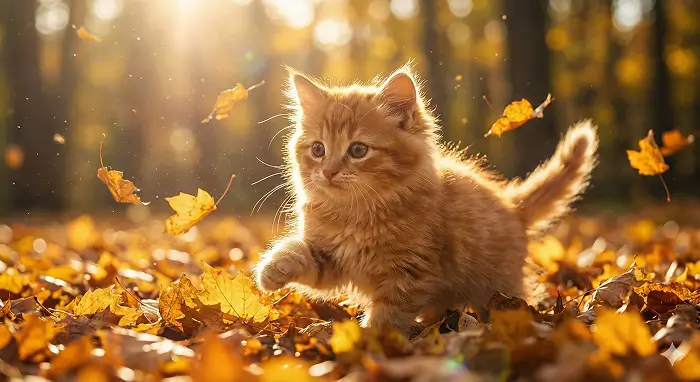
Nano Banana is an AI image generation model known for producing stylized visuals quickly. People commonly use it to create concept art, character designs, creative portraits, and meme-style images for social media sharing. However, Nano Banana’s output resolution is often limited around 1024px or similar sizes. When users try to enlarge these images directly, pixelation always becomes noticeable. That’s why searches for Nano Banana image enhancer are increasing, as users want to enjoy and share their own creations in a higher-definition formats.
Why Artguru Nano Banana Upscaler Stands Out
 Batch Upscaling
Nano often generates images in sets. With Artguru, you can upload up to 200 images at once and enhance them together, saving time and effort.
 High-quality Output
Artguru helps you to enhance resolution to HD/4K while maintaining natural style and structure. Your Nano creations will still looks like the original.
 Simple and Fast
Upload your Nano Banana Image and let Artguru handle the rest. No complex steps, no software installation. Everything runs directly in your browser online within seconds.
 Secure Image Upscaling
All your uploaded Nano Banana images are processed securely. Files are only for enhancement and are not shared with third parties. Artguru cares about your personal data security.
How to Upscale Nano Banana Images

Step 1: Upload Your Nano Banana Image
Upload your Nano Banana creations to Artguru image enhancer directly in your browser. No sign-up required.

Step 2: Automatic AI Enhancement
Once uploaded, all you need to do is wait a few seconds while your Nano Banana Image is automatically enhanced to a higher resolution.

Step 3: Preview & Download
Check the detail improvement and export your upscaled Nano Banana image immediately.
Easily Enhance Nano Banana Images in One Click
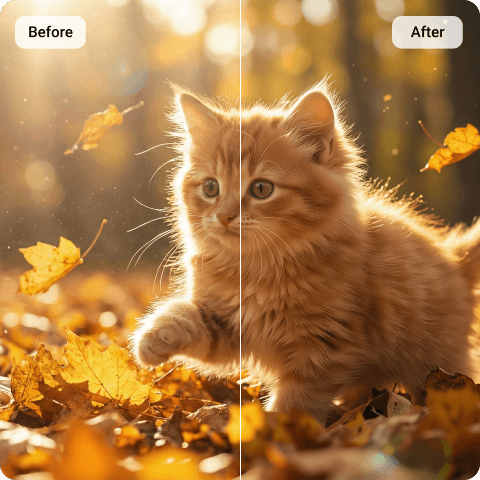
Some upscaling tools require manual parameter adjustments or desktop installation. Instead, Artguru works directly in your browser, so you can use this simple Nano Banana upscaler with just one straightforward process. No software installation, no complicated steps. It’s built for quick resolution improvement. It quickly increases the resolution of your low-quality AI images, helps unblur image details, and reduces visible pixelation, making it suitable for everyone, even those with no image editing experience.
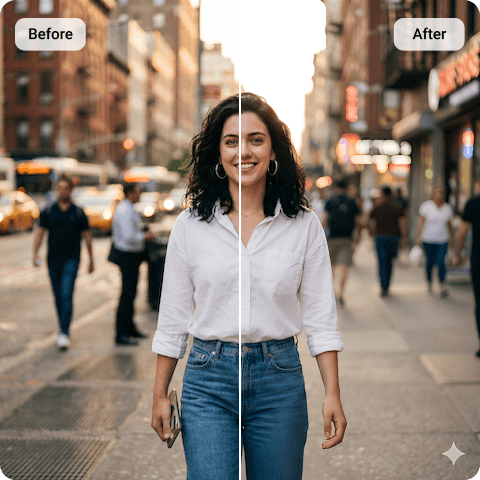
Bring Higher Clarity to Nano Banana Images without Losing Quality
Our Nano Banana image upscaler can enhance your AI artwork by 2X or 4X. Within seconds, a higher-resolution version is ready to download. For most use cases — such as social media, portfolios, or digital display — this level of enhancement is enough. If you need even larger output for printing or large-format projects, you can use our 8k image upscaler, which supports resolution up to 8K and works well for print use.
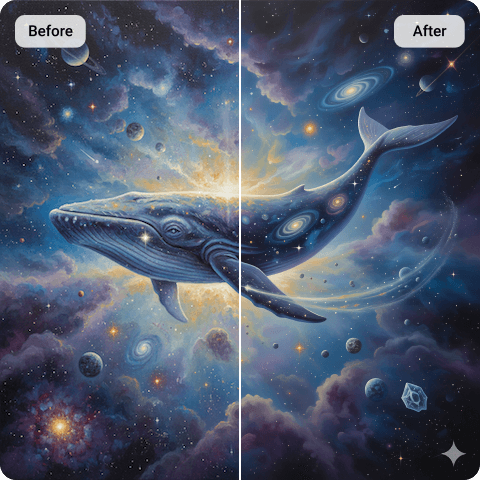
Preserve the Unique Style of Your Nano Banana Creations
Nano Banana generated images often have a unique visual style, whether it’s textured details, specific color tones, or expressive lighting. We fully understand that these details are part of what makes the image special.
When you choose our Nano Banana upscaler, we ensure that the image enhancement process does not alter the original color palette, lighting mood or composition, and it doesn’t apply unwanted artistic filters. Insted, the AI technology mainly focuses on pixel-level reconstruction, not stylistic transformation. You can feel free to upscale your Nano creations, as the enhanced result will stay true to the original design.

Upscale Nano Banana Images on Your Phone Anytime
Many users create Nano Banana images on their phones and simply want to improve their resolution and share them right away. With our Nano Banana Image Enhancer, you can upscale Nano Banana Images directly in your phone’s browser with ease, whether you’re at home, at work, or on the go. In addition, Artguru also offers mobile apps for iOS and Android, so you can enjoy a more dedicated experience. No ads there.
What Our Happy Customers Say

Emma Richardson
As a social media creator, I generate a lot of visuals with Nano Banana, especially for IG posts. Sometimes the original resolution isn’t sharp enough, so I usually enhance the images with Artguru on my phone before posting. No ads, just quick resolution upgrade. It’s so convenient.
Sophia L. Travel Vlogger
I‘ve been using Artguru for about 6 months. I generate a lot of concept art with Nano Banana and sometimes turn those pieces into prints for clients or small events. The original files looked fine but theyt wasn’t sharp enough for printing posters. Artguru helped me upscale to 4K without changing the colors or overall style. It helps me a lot.
Kevin Thompson
I work on game projects and will use images for demos and presentations. What I appreciate Artguru is that it keeps the details clean without oversharpening. The higher resolution option is useful when I need assets for large screens. I’ve recommended it to my teammates!
FAQs About Nano Banana Upscaler
What is Nano Banana Upscaler?
It’s a tool that increases the resolution of images generated by Nano Banana model. Nano outputs often look great stylistically, but the file size and pixel dimensions can be limited around 1024px on the long edge. When you enlarge those images directly, details may usually turn soft or blocky, while a Nano Banana upscaler can increase the resolution instead, improving clarity and usability.
Yes, Artguru provides daily free credits. For users who just want to enhance Nano Banana Images to HD, the free licnese is typically enough to test the workflow and get usable results.
Note: The free version supports basic enhancement. If you would like to upscale images to higher resolution like 4K or 8K, choosing an appropriate subscription plan provides additional credits and greater flexibility.
Our Nano Banana Image upscaler supports most common formats such as PNG, JPG, and WebP.
Downloads are exported as PNG. This is useful because transparent PNGs will stay transparent after enhancement, and you can get a clean, widely compatible format for further editing or sharing. Also, exported images keep the original filename, which is helpful when you’re processing multiple files and want to stay organized.
In general, a good upscaler should avoid changing the creative intent of the image. Artguru’s enhancement is designed to keep the original color palette and brightness stable while improving clarity and resolution.
What’s more, we provide you with the built-in preview comparison, so that you can check side-by-side before downloading and decide whether the result matches what you want.
Yes. If you generate Nano Banana Images in sets, our Nano Banana upscaler supports batch enhancement for up to 200 images at once. This is especially useful when you’re preparing a series of social media visuals, product mockups for an online store, multiple design drafts for review, or a collection for a portfolio or client presentation. Batch processing reduces repetitive upload/download steps and saves time and effort.
Yes, you can generally use enhanced Nano Banana images for commercial projects, such as marketing or websites, as long as you follow the service’s terms, don’t infringe on others’ copyright or privacy, and don’t use the images for illegal or misleading purposes.
Yes. Artguru values user privacy and data security. Standard security measures are applied to protect data during processing and storage.
Your uploaded images are processed securely. Access to your uploaded content is limited to you and the authorized processing systems. Your files remain private throughout the enhancement process so that don’t need to worry about the security of your personal information.