



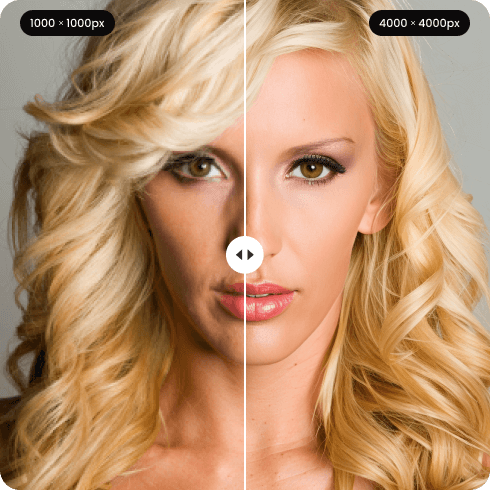
Sharpen JPG
Are your favorite photographs ruined by fuzziness or heavy compression? You don’t have to delete them. Artguru help you sharpen JPG files in seconds, bringing your memories back in high resolution.
How to sharpen JPG image in 3 easy steps

Step 1. Upload your JPG
Drag and drop your out-of-focus or compressed JPG into our photo enhancer. You can also upload up to 200 images at once if you need batch processing.

Step 2. Let AI enhance it
The AI works automatically to unblur JPG, refine edges, and remove unwanted compression noise without any manual adjustment.

Step 3. Preview & download
Compare the high-definition result with your original using our before-and-after tool. Once you see how well we sharpen JPG image details, download the final version to your device.
Why use our JPG enhancer
 HD/4K upscaling
When you sharpen JPG image files with Artguru, we elevate the resolution to clear HD or 4K quality, perfect for high-quality printing and sharing.
 Batch processing
Why edit photos one by one? You can upload and unblur JPG images in bulk, up to 200 images in a single session. This saves you valuable time when dealing with entire albums.
 Authentic color preservation
Fixing a blurry photo shouldn’t change its mood. Artguru will unblur JPG while strictly retaining your original lighting, tones, and color balance.
 Secure and private
Your personal memories and professional shots are highly sensitive. So only you will have the access to the files you uploaded.
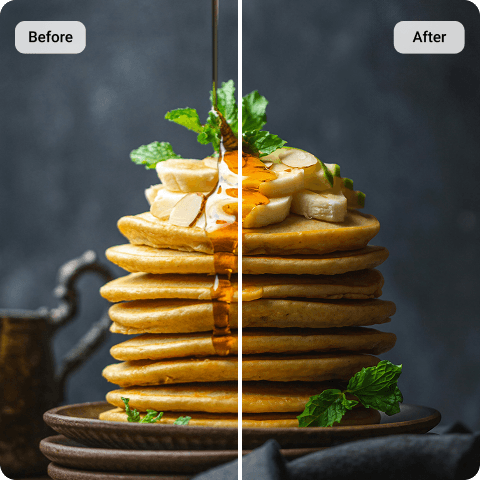
Unblur JPG for flawless social media sharing
Whether you are repurposing an image saved from a Twitter photo downloader or creating content from scratch, uploading pictures to Instagram or Facebook often triggers aggressive compression, leaving your shots looking soft or pixelated. Before you post, use Artguru to sharpen JPG quality. By refining the focus and clearing digital noise, your travel snaps and portraits will look incredibly amazing and professional on any feed.
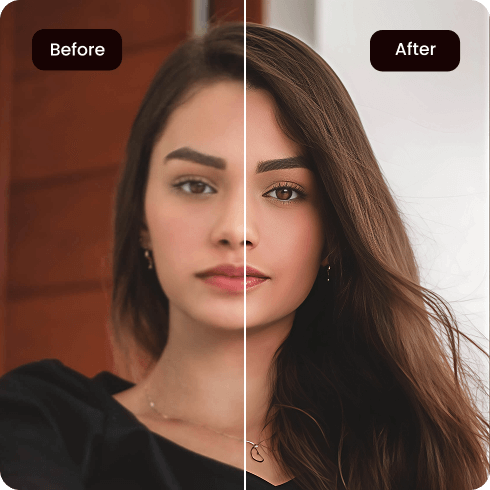
Sharpen JPG image details to rescue shaky moments
Capturing a quick selfie or an action shot often leaves you with a slightly out-of-focus result. Instead of hitting the delete button, let Artguru unblur JPG snaps in seconds. By accurately refocusing the main subjects and recovering lost textures, your ruined shots transform into beautiful and high-definition photos.
What our users say about our JPG sharpener?

Chloe M.
I took so many quick photos on my vacation that ended up out of focus, but Artguru helped me sharpen them all.
David R.
I frequently need to unblur JPG assets for my marketing campaigns. Artguru reconstructs the details perfectly and the batch processing feature saves me hours every week.
Sophia L.
Artguru did make the resolution of my photos higher and the textures look completely natural.
FAQs
How can I sharpen JPG for free?
Artguru provides free daily credits so you can sharpen JPG images and test our service without needing an immediate subscription.
No. Our algorithm is specifically trained to unblur images while completely preserving your original color profile, brightness, and contrast.
Absolutely! Our web-based platform is fully optimized for mobile browsers, allowing you to sharpen JPG files on the go right from your smartphone.
Yes. In addition to helping you unblur JPG files, our JPEG artifact removal tool automatically targets and eliminates blocky pixelation and noise caused by heavy JPEG compression.


