



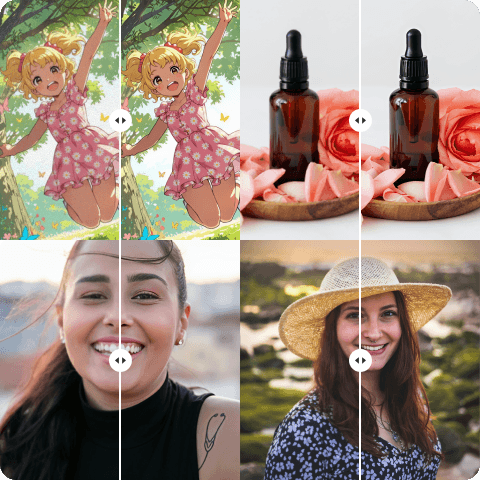
Bulk Image Enhancer
Spending hours on a large folder of low-quality pictures is challenging. You don’t need to find another way as Artguru supports batch enhancement. You can upload multiple files at once while Artguru upscales and reduces noise across your entire folder.
How to Use Artguru’s Batch Image Enhancer?

Step 1. Upload Your Files
Drag and drop your files into Artguru. Bulk enhancement is fully supported. You can upload up to 200 pictures at once.

Step 2. Let AI Enhance It
Each file will be analyzed automatically. Artguru learns and processes your entire folders in seconds to meet the requirements of each picture. Your pictures will be sharpened, denoised, and upscaled up to 4K.

Step 3. Preview & Download
Once processing finishes, you can preview the enhanced results before downloading them all into your device.
Why Use Our Bulk Photo Enhancer?
 Stable Upscaling Quality
We always strive to provide the best possible outputs for you. That’s why we’ve developed Bulk Photo Enhancer with a quality consistency standard in our work. Unlike many other tools, Artguru analyzes each individual photo and learns to know the best way to enhance it before applying the enhancement to all photos.
 Native File Name Preservation
We know your workflow is so important that you will not hope to exchange it with something new or different. We would love to keep it that way with no complexity at all. Artguru was born to maintain your productivity by keeping the exact same file name for you. So, finding the right file name is not a problem to you for later use.
 High-Volume Stability
Upscale your AI art Engineered to handle large, computationally intensive workloads, our servers manage the heavy lifting. You will not experience browser crashes or frozen tabs when processing 200 files simultaneously.
 Secure Cloud Processing
We understand that your work require strict confidentiality. Your media is processed securely within our infrastructure, kept private to you.

Bulk Image Enhancer Saves Your Time
Whether you are an event photographer dealing with hundreds of slightly soft shots from a wedding reception or a social media manager organizing a month’s worth of visual content, time is your most valuable asset. Processing photos individually through desktop software creates severe bottlenecks. By utilizing a reliable batch image enhancer, you completely eliminate the repetitive manual labor of adjusting sliders and rendering individual files. Artguru handles the repetitive tasks of unblurring and resolution boosting across your entire folder simultaneously, allowing you to focus on the creative aspects of your job.
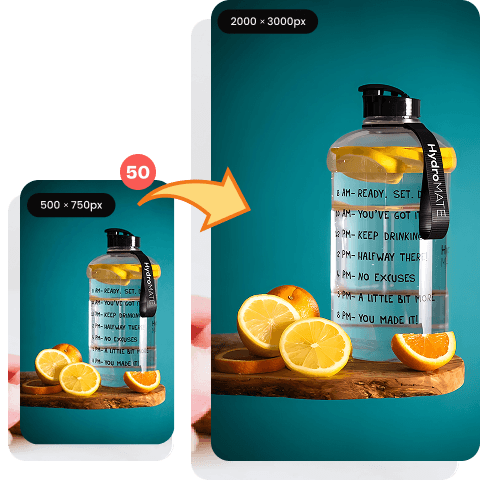
Enhance Product Images in Batch for Ecommerce
In online retail, the clarity of your product photography directly affects your conversion rates. A sharp, high-resolution image of your product can make a very big difference, building trust and confidence in your brand. If you are about to launch a new collection, image quality control is crucial. Our bulk photo enhancer is explicitly tailored for this challenge. It restores lost details, reduces compression artifacts from low-quality supplier photos, and ensures a crisp, professional presentation across your entire online storefront.
Real Workflow Solutions

Casey Palmer
I use AI tools to generate portraits for my clients. But resolution was always a problem for me. These images lShooting 5 houses in a day leaves me with hundreds of photos that often have slightly soft edges due to low lighting. Being able to drop 200 of them into Artguru at once and get crisp, high-res files back saves me nearly two hours every evening.
Frankie Barrett
I work with AI-generated illustrations and the details We receive thousands of product images from different suppliers, and the quality is completely inconsistent. Using this tool as a batch processor ensures all our storefront listings are uniformly sharp and professional.
Dylan Simpson
I work with scanning historical documents and old family albums. Processing them one by one was a nightmare. This tool is incredibly stable and handles large batches without freezing my browser.
FAQs about Bulk Image Enhancer
How many photos can I process at the same time?
The Artguru bulk photo enhancer allows you to upload and process up to 200 pictures simultaneously in a single batch.
No. Our batch image enhancer does not apply a generic preset. It analyzes and enhances images in the queue individually, ensuring appropriate sharpening and denoising based on that specific file’s data.
Yes. We support PNG and JPG format. Once the process is complete, you can choose the format you want to download.
Yes. The underlying technology is highly effective at reconstructing straight lines and distinct edges, making it excellent for restoring clarity to pixelated text within graphics or documents.
At the moment, we only support Bulk Enhancements to paid plans. You can subscribe to any of our plans to enjoy the benefits of bulk photo improvements and many other features.


