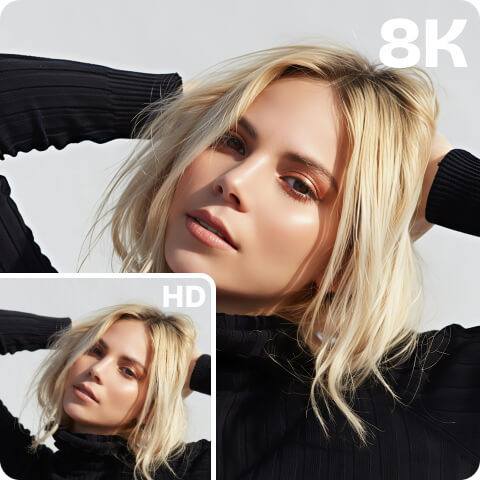
Unpixelate Videos Online
Use Artguru’s Video Pixel Remover to depixelate videos directly in your browser. Remove pixels, reduce grain and blur, sharpen details, and improve overall quality of video with one click.
What Makes Your Videos Pixelated and Grany?
Sometimes it’s over-compression. You post to TikTok, Instagram, or WhatsApp, and they just squish your file to save space. Fine details get lost, and suddenly your video looks… messy.
Then there’s low-res recording. Videos shot in 360p, 480p, or 720p can look okay on your phone, but put them on a TV or monitor and the blocks become obvious. There just aren’t enough pixels for a big screen.
Camera gear can be a culprit too. Older phones or budget cameras just can’t capture all the detail. When the sensor struggles, you get noise instead of crispness.
Lighting matters a lot. Dark scene? The camera cranks up ISO like crazy. Result: grainy, rough footage.
And don’t forget zooming or stretching. Blowing up a small clip doesn’t magically make it sharp—it just makes each pixel huge.
Lastly, editing or bad export settings can ruin things. Wrong codec, too low bitrate… suddenly your carefully edited video looks blurry.
How to Fix Pixelated Videos?

Step 1. Upload
Upload your pixelated video (max 1 GB and 20 minutes per upload) to Artguru’s video enhancer.

Step 2. Unpixelate Video
Select 1080p or 4K and click “Start” to unpixelate the video. Our AI will analyze and remove pixelation from the video automatically, and you can close the tab while processing continues in the background.

Step 3. Preview and Download
After the video depixelation is complete, go to Artguru’s “Library” to compare the before-and-after videos, then click to download your clearer, more watchable video.
Why People Choose Artguru to Fix Pixelated Videos?
 AI-driven Upixelation
Rather than simply removing blocky artifacts, Artguru repairs missing textures and edges during depixelation, increases video resolution, and maintains smooth motion.
 No Setup Required
No need to download heavy desktop software. We support one-click enhancement of pixelated videos online.
 HD/4K Output
Fix grainy videos with Artguru, and you get high-quality output that depends on your needs. Your video keeps its natural look.
 Reliable and Secure
We have been focusing on enhancement for years and always put user privacy first, ensuring that only you have access to your files.
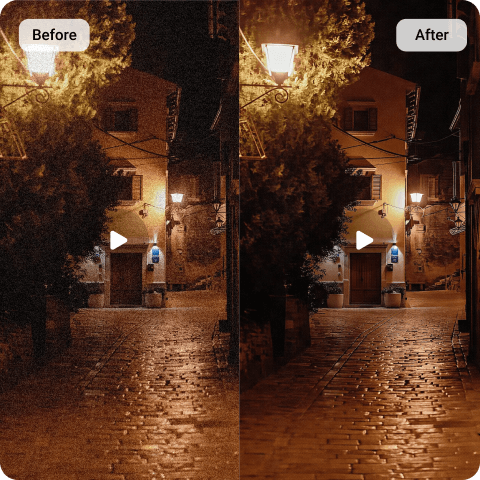
Unpixelate Videos With Artguru AI And Run in Background
Fixing pixelated videos online is no longer an impossible challenge thanks to powerful AI enhancement technology. With just a few clicks, you can make your videos clear, whether the issues are caused by compression, low-resolution recording, poor lighting, or any of the other reasons we mentioned earlier.
With Artguru, you don’t even have to stay on our website while your videos are being processed and unpixelated. We save your valuable time so you can focus on other tasks, and there’s no heavy desktop software to slow down your computer.
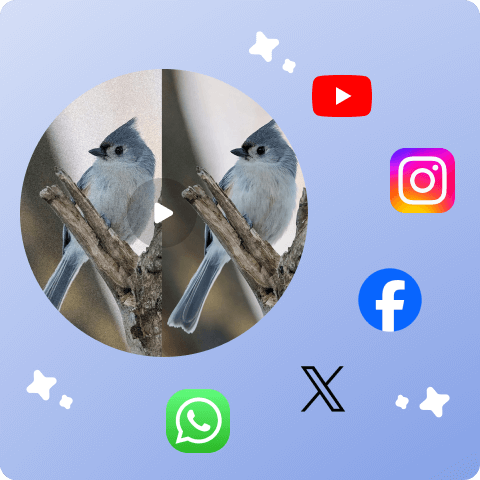
Remove Pixels From Videos For Your Social Media
It’s common that we upload our interesting moments, vlogs to social media platforms or share via messaging apps with our friends, but when we want to download them back, we only get blurry and pixelated footage. Don’t worry! Artguru’s video enhancer is perfect for improving the quality of this kind of video. Our AI automatically analyzes your videos, removes pixelation, restores missing details, keeps them looking natural, and even lets you upscale your videos to 1080p or 4K.

Use Artguru App to Fix Pixelated Videos on Your Phone
Artguru has standalone apps for both iOS and Android, and just like the web version, the clean, simple interface makes it easy and enjoyable for users to unpixelate videos even with no editing experience. Plus, using the mobile app lets you work on your videos anytime and anywhere without having to rely on a browser.
See How Artguru Improves Video Quality
Vlog
Sunset
Sweet Moment
What Our Happy Customers Say

Tanisha King
My grandpa asked if I could help fix some old pixelated videos of him and my grandma, so I ended up trying Artguru by searching on google.
I didn’t expect there wouldn’t be a free trial, but the HD results turned out way better than I thought, so it was totally worth it.
Alicia Murillo
Recently I tried Artguru to fix some unclear videos I shot at Carnaval in Spain.
They improved my videos’ clarity, added more details, and they looks much better now. I’m happy that my money was well spent jaja.
Wally Schroeder
Hosted the 2025 New Year’s dinner! We usually compile everyone’s videos to play during the celebration. But the videos I got from relatives were trully blurry… As I’ve been using Artguru to enhance photos for a long time, and I was curious about their new video enhancer. So I used Artguru to improve the clips this time, and everyone loved the ‘new’ video. Good job, Artguru!
FAQs About How to Fix Pixelated Videos
Artguru video enhancer is one of the best tools to fix pixelated videos. We offer one-click video unpixelation, support background processing so it won’t interrupt your other work, come at an affordable price with a one-time payment option, and most importantly, deliver high-quality video output that our clients praise.
Yes! With Artguru, you can easily unpixelate videos by uploading them and waiting a few minutes for the AI to do the work.
You can use Artguru to depixelate all kind of video, such as AI video, old family videos, social media clips, marketing videos and more.
Sometimes your YouTube videos look pixelated because they were uploaded at a low resolution, heavily compressed, or your internet connection is a bit slow. If this is caused by the first two reasons, you can consider using Artguru’s Pixel Remover to upscale videos to HD and even 4K.
Our video enhancer can also fix grainy videos on web and on your phone. Steps same as how to make a video pixelated — upload, wait, and download.