Unblur Video Online with AI
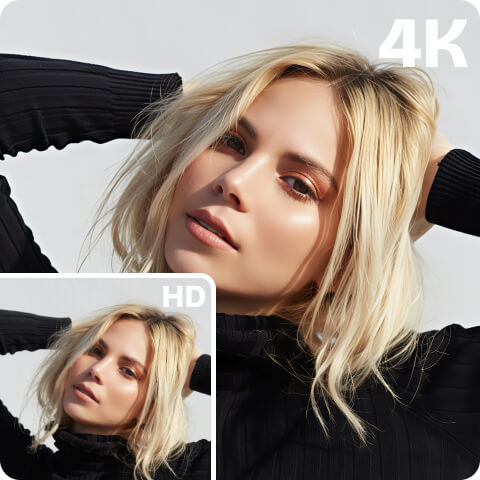
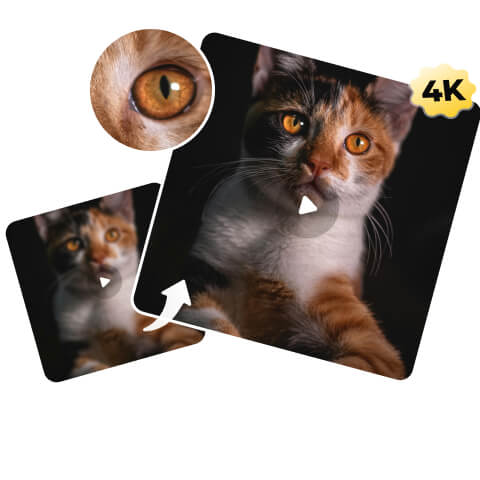
Effortlessly fix blurry videos. Simply upload your footage, and our AI automatically turns pixelated clips into clear, sharp video. Get top-tier quality with Artguru’s video clearer for superior clarity and detail.
 Professional-Grade Quality
Artguru’s custom-trained AI is fine-tuned to deliver natural clarity that generic tools can’t match.
 One-Click Enhancement
Forget complex editing tools. Get high-end video enhancement results with just a single click.
 Cross-Platform Access
Enjoy the flexibility to unblur videos on Web, iOS, and Android devices with one account.
 100% Secure & Private
We prioritize your privacy. Your files are processed securely, and only you have access to your data.
How to Unblur a Video with Artguru’s Video Clearer

Step 1: Upload Your Video
Drag and drop your blurry or pixelated video directly into the browser.

Step 2: Let AI Unblur It
Click to start. Processing time varies from a few minutes to longer depending on the video length. You don’t need to wait on this page, so feel free to close the tab and come back later to check your history.

Step 3: Download the Result
Once processing is complete, preview the improved clarity. Save your new sharp video directly to your device.
Instantly Unblur Video with Advanced AI Clearer
Don’t let a shaky hand, low lighting, poor focus, or a low-quality device ruin a great recording. Our video unblurrer doesn’t just sharpen edges; it intelligently analyzes your video frame-by-frame and actually removes noise, rebuilds the details lost to blur and compression. Unlike other tools that may make footage look artificial, Artguru makes your video clearer while preserving the natural, realistic look of the original. This ensures your upscaled video looks authentic and polished, like it was shot in high resolution.

Unblur Any Video for Any Purpose
Whether you are upgrading vintage clips for a 4K TV or saving a precious memory from a grainy file, Artguru restores every frame. Here are the most common video types we enhance:
- Classic Movies & Anime: Watch your favorite old films and anime with a new level of detail. The AI sharpens soft edges and upscales low-res downloads, making them look crisp and vibrant on modern high-def screens.
- Home Videos & Old Recordings: Relive the moments that matter. Clear up the grain from old camcorders or early smartphones so you can see your loved ones’ faces clearly again, preserving family history in HD.
- Social Media & Internet Clips: Don’t let compression ruin a funny or viral clip. Fix the pixelation caused by messaging apps or social media downloads, restoring the quality so it’s ready to be shared or repurposed.
Trusted by Creators and Professionals

Alex J., Content Creator
Perfect for Content Repurposing
I wanted to repurpose some of my old YouTube vlogs from 10 years ago for TikTok, but they looked pixelated on recent phone screens. Artguru cleaned them up instantly. Now my old content is getting a second life with great views.
Mark D., Marketing Manager
Unblur Our Company Footage
We needed to use some footage from a 2010 company event for a new promo video. The original files were too grainy to use professionally. This tool saved us the hassle of a reshoot and made the old clips blend perfectly with our new 4K footage.
Stephen R., Videographer
Restored My Old Recordings
I have a massive archive of old NTSC format recordings. Digitizing them usually results in a lot of noise and artifacts. I was surprised by how well Artguru handled the interlacing and grain. It made my vintage footage look clean and digital-ready.
FAQs
Our AI video clearer uses generative AI to analyze the blurry frames. It identifies noise, pixelation, and lost details, then intelligently reconstructs the image information to sharpen edges and improve resolution.
Yes. Artguru is available as a mobile app for both iOS and Android, so you can unblur a video directly on your phone.
Our tool can convert videos to High Definition (HD) and 4K, ensuring your footage looks sharp even on large displays.