



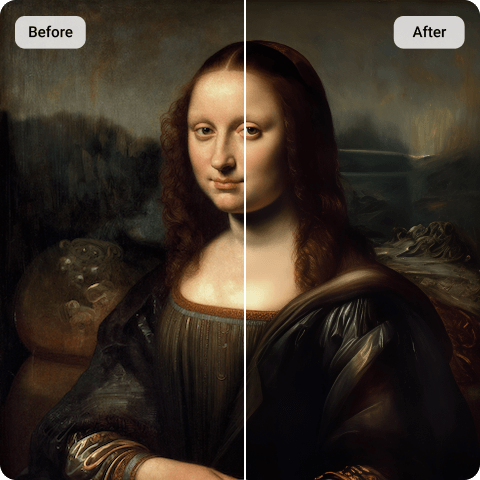
Stable Diffusion Upscaler
Stable Diffusion lets your imagination come true, but its low-resolution outputs are not what you expect? Artguru’s Stable Diffusion image upscaler allows you to change that limitation by enhancing your artwork up to 4K/8K resolution. Artguru remains all the details of your original artwork while upscaling it to another level of quality.
How to Upscale Stable Diffusion Images?

Step 1. Upload Images
Drag and drop your JPG, PNG, or WebP files. Batch uploading is supported with up to 50 images without signing up.

Step 2. Upscale Automatically
It takes only a few seconds for your high resolution images to be ready. No more manual image editing!

Step 3. Preview and Download
Side-by-side comparison tool lets you preview your result before downloading. We keeps your original file name for easy organization.
What is Stable Diffusion?
Stable Diffusion is a revolutionary open-source latent text-to-image model. The only weakness of this state-of-the-art model is that it requires immense GPU power of your device to bring the best quality out of it. It means the quality of the image is depend directly on your device. Therefore, a dedicated Stable Diffusion image upscaler like Artguru is the industry-standard solution to bridge the gap between your creative imagination and the final high-quality result.
Why Artguru is the Best Stable Diffusion Upscaler for Your Workflow
 Batch Processing
There is no need to upscale a picture after another. Artguru supports batch Stable Diffusion image upscaling for up to 50 images at the same time. Artguru understands that your time is precious, and we make our best efforts to make your life easier.
 Natural Enhancement
Our technology focuses on Natural Enhancement. Unlike tools that overly sharpen or shift colors, Artguru improves resolution without changing the original color balance or brightness of your AI generation. Therefore, no quality loss occurs while upscaling your images with us.
 No Setup Required
While you have to download and install other softwares to use them, Artguru does not require you to do so. All you need is a browser and an internet connection to enjoy the most Artguru’s advanced upscaling technology. You can save lots of time and effort because you can easily access Artguru whenever and wherever you want.
 Reliable and Secure
You can upscale Stable Diffusion images without signing up or logging in an account. This means your identity and data is secured all the time while using our services. Because your data is always yours and never leaves your browser, there is no need to worry about your data being used for model training.
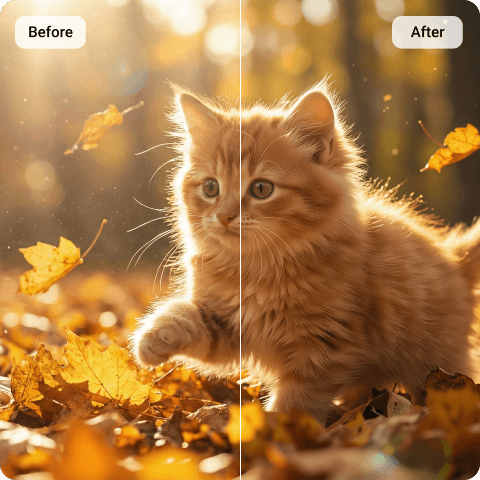
Achieve 4K Clarity with Our Stable Diffusion Upscaler
There is a myth among AI users that upscaling means just increasing the size of an image. The fact is that it requires much more than enlarging to another dimensions. By upscaling, Artguru deeply analyzes and truly understand all the details and characters of your image before passing it to the upscaling process. Artguru’s Stable Diffusion image upscaling technology analyzes the specific textures found in AI art, intelligently filling in details to reach 4K or 8K resolution. This makes your work ideal for professional portfolios, commercial assets, or large-format physical prints.
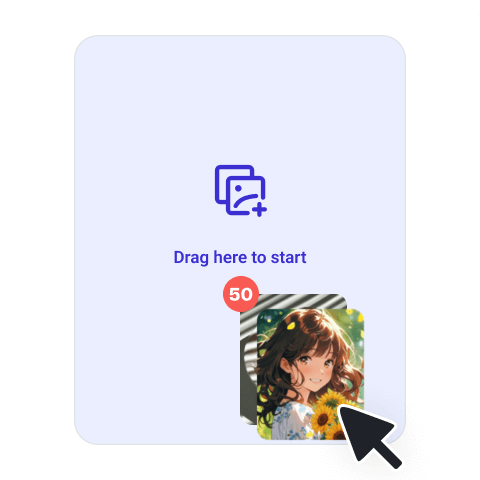
Efficiency at Scale: Batch Stable Diffusion Image Upscaling
Generating high volumes of AI art often creates a massive bottleneck during the final export phase. Artguru removes this hurdle by allowing you to upscale Stable Diffusion renders in bulk, processing up to 50 images at a single time. To ensure your workflow remains organized and smooth, every enhanced file keeps its original image name, making it easy to match high-resolution outputs with your original seeds and prompts.
For professional developers and studios, we also offer a dedicated API that supports high-fidelity Stable Diffusion image upscaling up to 4K resolution. This allows you to integrate our image enhancement technology directly into your own applications or production pipelines, achieving professional-grade clarity at scale without taxing your local hardware.
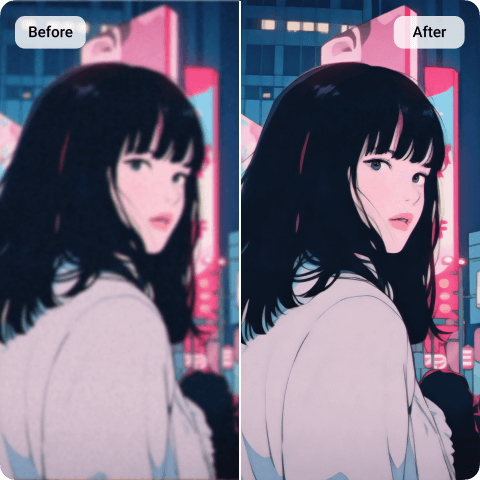
Lossless Stable Diffusion Image Upscaling That Preserves Your Style
The biggest fear in upscaling is losing the “soul” of the original image. Artguru provides a lossless experience that supports smart noise reduction and unbluring while strictly adhering to your original style. By choosing our Stable Diffusion upscaling service, you ensure that every brushstroke and texture generated by the AI remains exactly as intended, but with more sophistication and clarity.
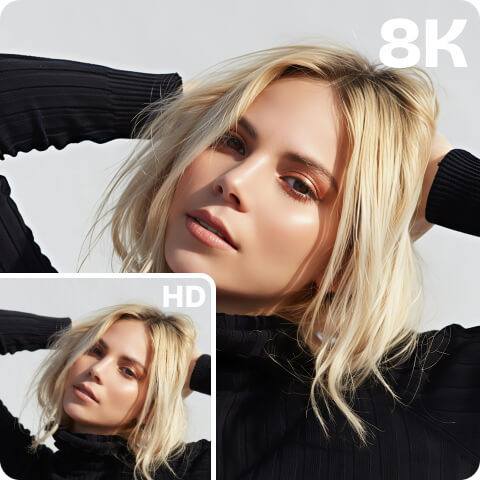
Multiple Resolution Options: From HD to 8K
Whether you need a quick 2x boost or a massive Stable Diffusion 4x upscaler render, our platform provides the flexibility your project demands. We also support upscaling to 8K, and we recommend starting with high-quality source images. A big jump like 360p sources to 8K targets, for example, is not a good practice. Therefore, when you start with a good source image, you’ll soon notice a significant improvement in the quality of your upscaled images.
What People Are Saying About Stable Diffusion Upscaler

Liam Nickerson
I used to struggle with generating high-quality images on Stable Diffusion. Using Artguru as my primary Stable Diffusion image upscaler has saved my hardware and my time. The batch feature is a game-changer.
Sarah Jane
It’s hard to find an upscaler that doesn’t mess with the colors. I have tried hundreds of tools to fix that. I didn’t stop finding it until I tried Artguru. It keeps the atmosphere of my AI paintings exactly the same, just much clearer. The side-by-side preview is really helpful.
Julia Nguyen
The fact that I don’t have to log in to quickly upscale Stable Diffusion renders is huge. It’s the most straightforward tool I’ve found for getting my art ready for my portfolio.
FAQs About Stable Diffusion Upscaling
What is best Stable Diffusion Upscaler?
The best Stable Diffusion upscaler is one that brings the best quality to your artwork while saving you time and efforts doing that. Artguru can do both of that with a solution that requires no login and preserves the natural color and brightness of your original AI art.
Our Stable Diffusion upscaler uses deep learning to interpret the existing pixels in your AI image and generate four times the data. Unlike standard resizing, it adds detail and removes generative noise rather than just stretching the image.
Yes. If you upscale Stable Diffusion images that contain transparency (like character assets), Artguru will maintain that transparency and export the final result as a PNG. You can find all the details about PNG Upscaler.
Yes, Artguru offers a free plan that operates on a credit-based system. This allows you to upscale Stable Diffusion images a limited number of times to experience our enhancement quality. To enjoy full benefits of a premium user, you can subscribe to a plan that provides additional credits and full access to our professional features.
No. This is a fully browser-based Stable Diffusion image upscaler. It works on desktop and mobile (iOS/Android) with no ads, allowing you to enhance images wherever you want.
To keep your workflow organized, all images exported after Stable Diffusion upscaling will retain their original file names.


