



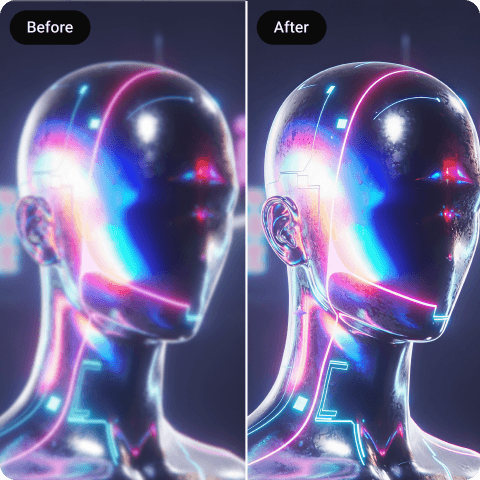
AI Art Enhancer
Enhance your AI artwork, including portraits, landscapes, anime, and more, with our AI art enhancer that improves resolution, refines details, and preserves the original look.
How to Enhance AI Art with Artguru?

Step 1. Upload AI Images
Upload or drag and drop your AI-generated artwork directly into our AI art enhancer.

Step 2. Automatic Enhancement
After uploading, wait a few seconds while Artguru automatically enhances your images.

Step 3. Preview & Download
Preview the final results and then click the download button to save the enhanced image.
Why Use Our AI Art Enhancer?
 Increased Resolution
Artguru upscales your AI artwork by improving its resolution and clarity. It refines low-quality images into sharper, more detailed visuals without affecting the overall look.
 No Oversharpening
Our creative upscaler enhances your artwork carefully. Instead of oversharpening, it first reduces noise and blur, then rebuilds details to make the image look more natural and realistic.
 Preserve Original Style
Upscale your AI art with Artguru without fear of losing your original style. Our system carefully improves image quality while keeping the colors, lighting, and artistic details intact.
 Secure and Private Enhancement
We store files securely in the cloud. Only you and our authorized systems can access your uploaded files, keeping every enhancement fully private and secure.
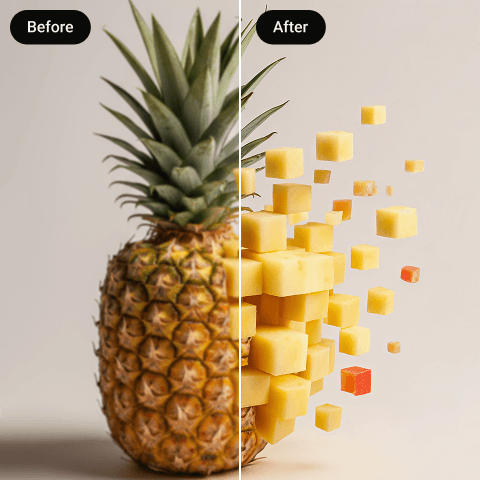
Increase AI Art Resolution by Up to 8×
AI-generated artwork looks impressive at first, but it often has resolution issues when viewed closely or on larger screens. Most AI images come out at 512×512 or 1024×1024 pixels, which is not enough for printing, publishing, or displaying work at full size. Artguru addresses this directly, allowing you to upscale AI art up to 8× without the blurring or pixel distortion that basic tools produce. Instead of stretching the image, our image upscaler analyzes and rebuilds fine details. Edges stay sharp, textures remain consistent, and the result looks intentional rather than artificially inflated.
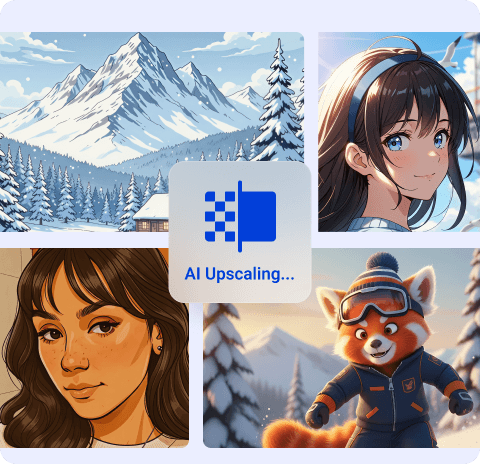
Creative Upscaling for Any Type of AI Art
AI art has many forms, such as portraits, landscapes, anime, abstract pieces, and everything in between. And honestly, these are different from each other. Each one has different textures, color palettes, and fine details. Most of the upscalers don’t understand this difference, and this is where things go wrong, and your artwork loses its artistic feel. They apply the same enhancing process to all these art types. But Artguru’s image enhancer takes a different approach. Whether you are working with a soft anime illustration or a detailed fantasy landscape, it reads what’s actually in the image before doing anything. Our creative upscaler reduces noise first, then rebuilds details, so the original style remains intact. It supports PNG, JPG, and WebP, runs on web and mobile, and you don’t need an account to get started.
What Our Happy Customers Say?

Sarah Mitchell
I use AI tools to generate portraits for my clients. But resolution was always a problem for me. These images looked great at first but fell apart when printed. Then, I tried Artguru and it gave me awesome results. The skin tones stayed natural, nothing looked over-sharpened, and my clients were actually impressed with the print quality. Now, it is a part of my regular workflow.
Lukas Bauer
I work with AI-generated illustrations and the details matter a lot to me. I tried many AI upscalers but they just ruined my work, either blurred everything or make it look plasticky. Artguru was the one tool that kept the fine lines and textures intact after upscaling. It does what is says.
Haruki Tanaka
I create anime art, and keeping the lines and colors clean is very important to me. Most AI art enhancers I used before either blurred the line art or made the colors look unnatural. However, Artguru exceeded my expectations by enhancing my images while keeping the edges sharp and the colors consistent with the original style. I would definitely use this enhancer again.
FAQs About AI Art Enhancer
What is creative image upscaling?
It is an AI-driven process which upscales AI artwork to higher resolution and also enhances the image by adding some textures, and fine details.
Yes, our artwork enhancer works on all devices whether it is iOS or Android. It directly operates into your browser.
Yes, you can enhance your drawings or any artwork with Artguru’s AI art enhancer up to 4K, or use the image upscaler to reach 8K without losing visual quality.
Yes, our AI art enhancer is free to use. We provide free daily credits, and different features require different amounts of credits.
Artguru relies on deep learning algorithms, which are designed to understand different types of artwork. When you upload your AI artwork, it first analyzes the original low-resolution image then breaks it down into pixels and then estimates what additional information should be added. Then, it fills the gaps between existing pixels and recreates the missing details.
Artguru provides you a very simple, fast and quality enhancement process. It is secure and one-click process. It takes great care of your image’s original quality and carefully adds pixels to enhance it.


